Designed the element taxonomy, 3-layer spatial hierarchy, grid mapping rules, and surface-adaptive rendering logic.
Interface Transformation for Spatial Computing
An AI-mediated system that enables interfaces to adapt across surfaces, depth, and context.
Interfaces are designed for fixed screens. But in XR, interfaces must adapt across surfaces, depth, and context — where 2D structures no longer apply.
This project explores how AI can translate existing interfaces into spatial systems, preserving their logic without redesign.
Existing interfaces already encode structure, hierarchy, and intent. The challenge is not redesigning them — but translating them into spatial environments.
This work defines a system that classifies, maps, and renders 2D interface structures into adaptive 3D interactions.
9 co-inventors (8% each)
Cross-team collaboration on design of OneUI Widget for Galaxy XR
Android XR, Vision OS
Patent filed, 2025
US20250285367A1
Billions of 2D interfaces already encode hierarchy, interaction logic, and depth relationships. The work was designing the rules to read them.
Problem: Manual redesign doesn't scale
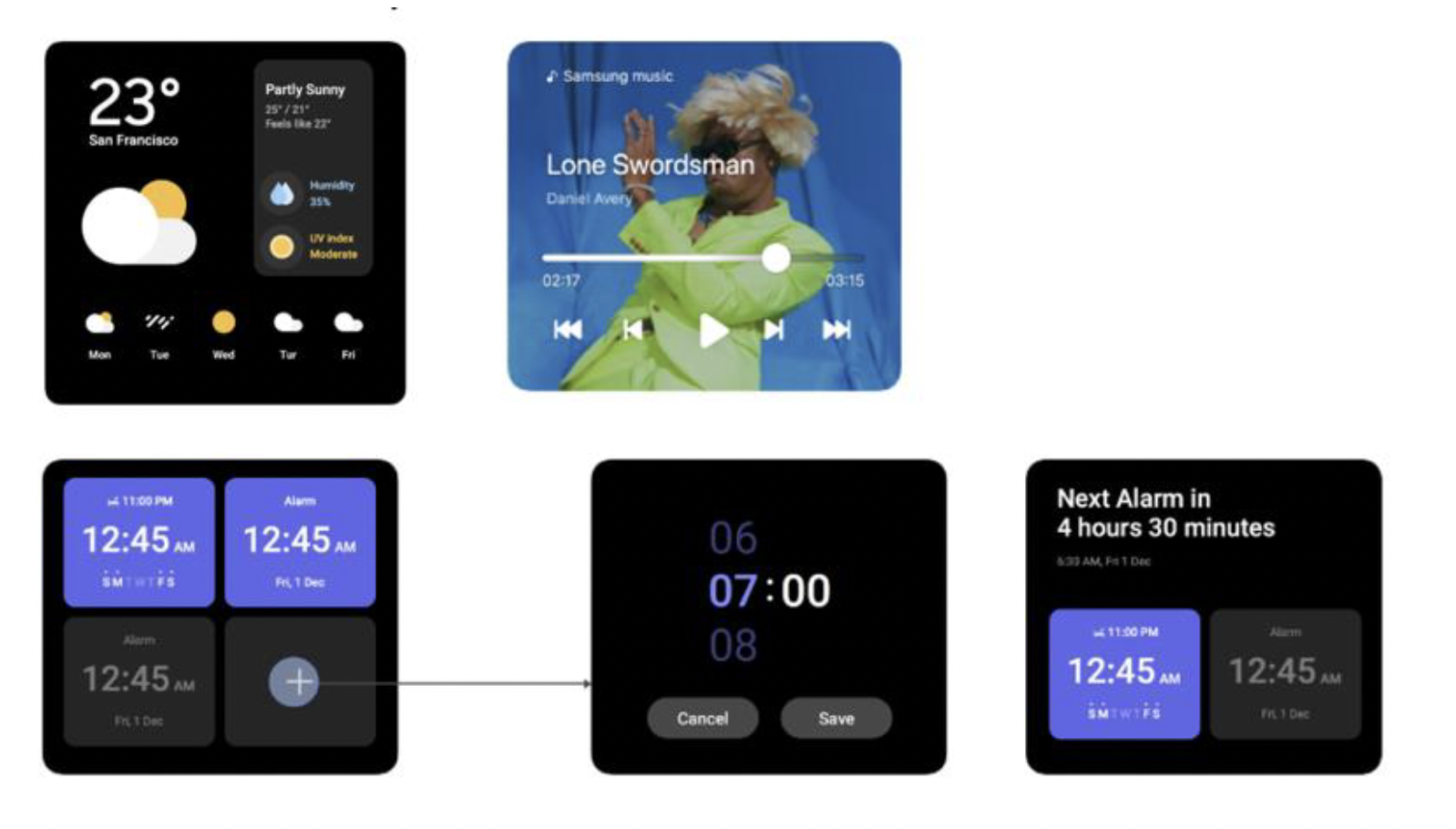
Every XR platform faces the same constraint: existing interfaces don’t transfer. Widgets are core to modern apps — surfacing functionality without opening the full application. On flat screens, they work. In spatial environments, they break.
Not because the information loses value, but because the model does.
Widgets were designed for pixel grids, fixed layouts, and touch interaction. In XR, surfaces vary, depth matters, and interaction happens from any angle.
The default solution is manual redesign — rebuilding each widget in 3D, one by one. This does not scale. It also discards something critical: the structure, hierarchy, and intent already embedded in the original interface.
The problem is not creating new interfaces. It is translating existing ones.
Every platform is rebuilding from scratch. The underlying problem remains unsolved.
Approach
A widget is not a flat interface — it is a structured system, i.e., container, elements, and information hierarchy. The problem is not designing new spatial layouts, but interpreting the structure that already exists and expressing it in space.
Classify by function, not visual appearance
Elements are defined by what they do, not how they look. A semantic model replaces visual patterns, allowing consistent spatial behavior across widgets — where the element lives in depth, whether it can act independently, whether it needs to be dynamically updated.
Encode interactivity through depth
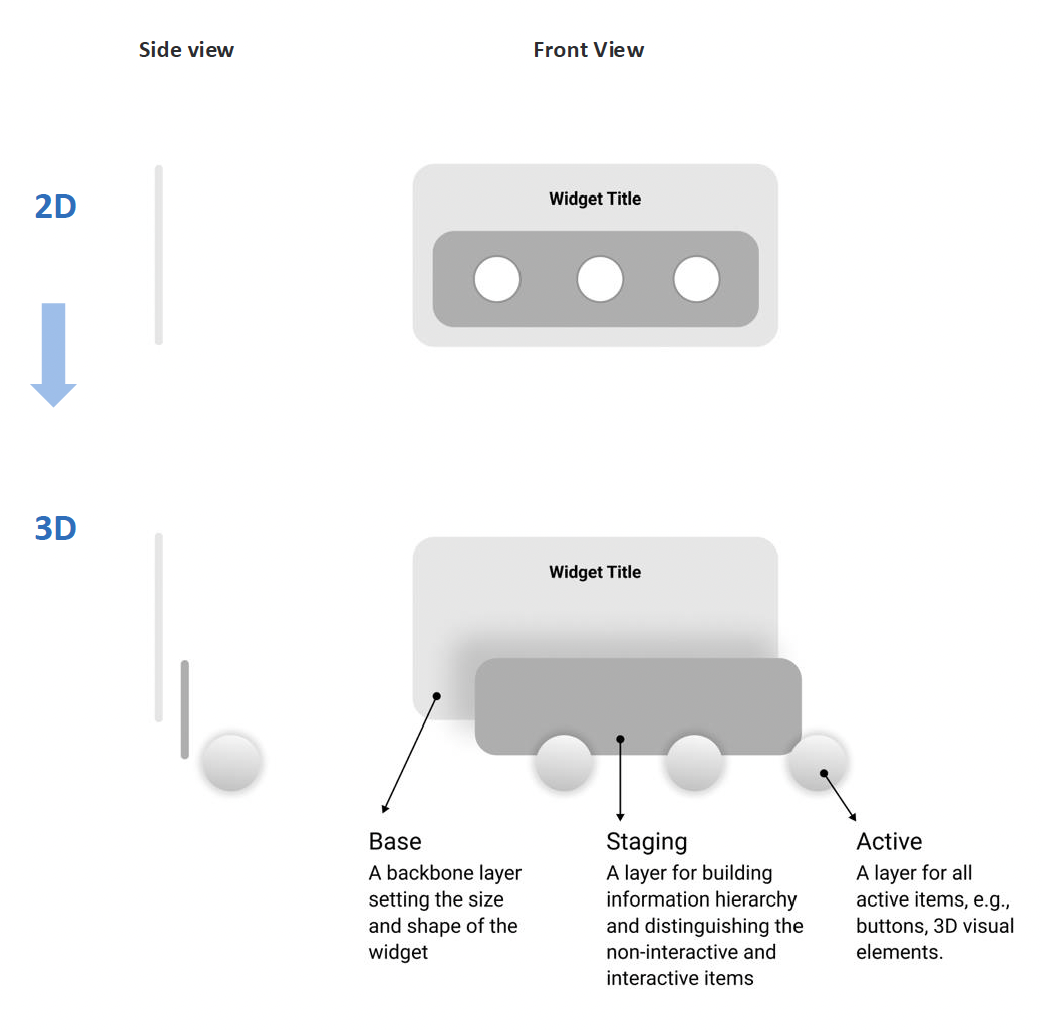
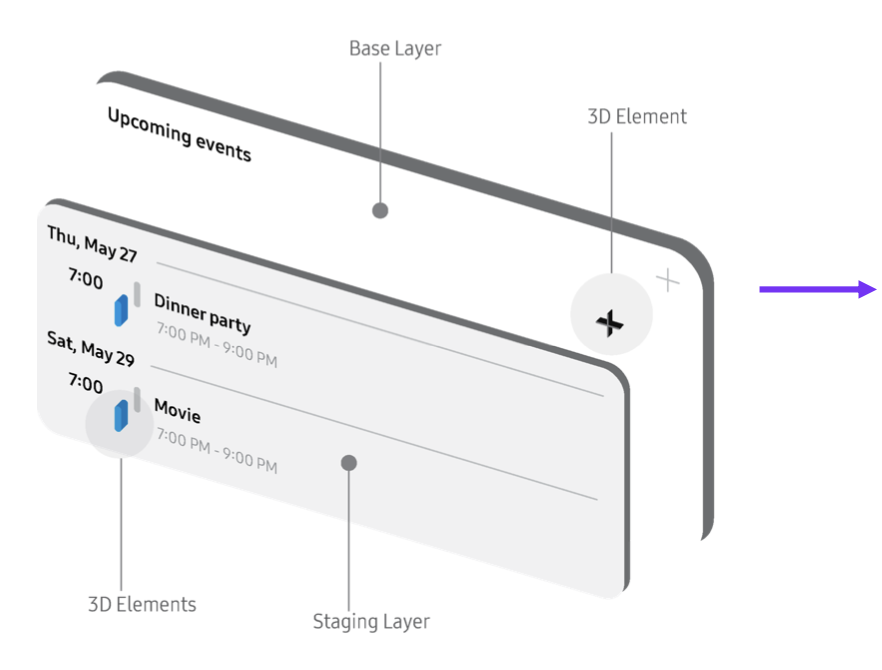
Interaction is expressed spatially. A 3-layer spatial model was introducted: passive content recedes, actionable elements move forward. You reach for what you can act on.
Constrain spatial footprint
Widgets remain lightweight and supportive. A fixed spatial footprint ensures they support the environment rather than dominate it.
Three decisions define the system: interpret, structure, and express existing interfaces in space.
Starting point: Understanding 2D widgets
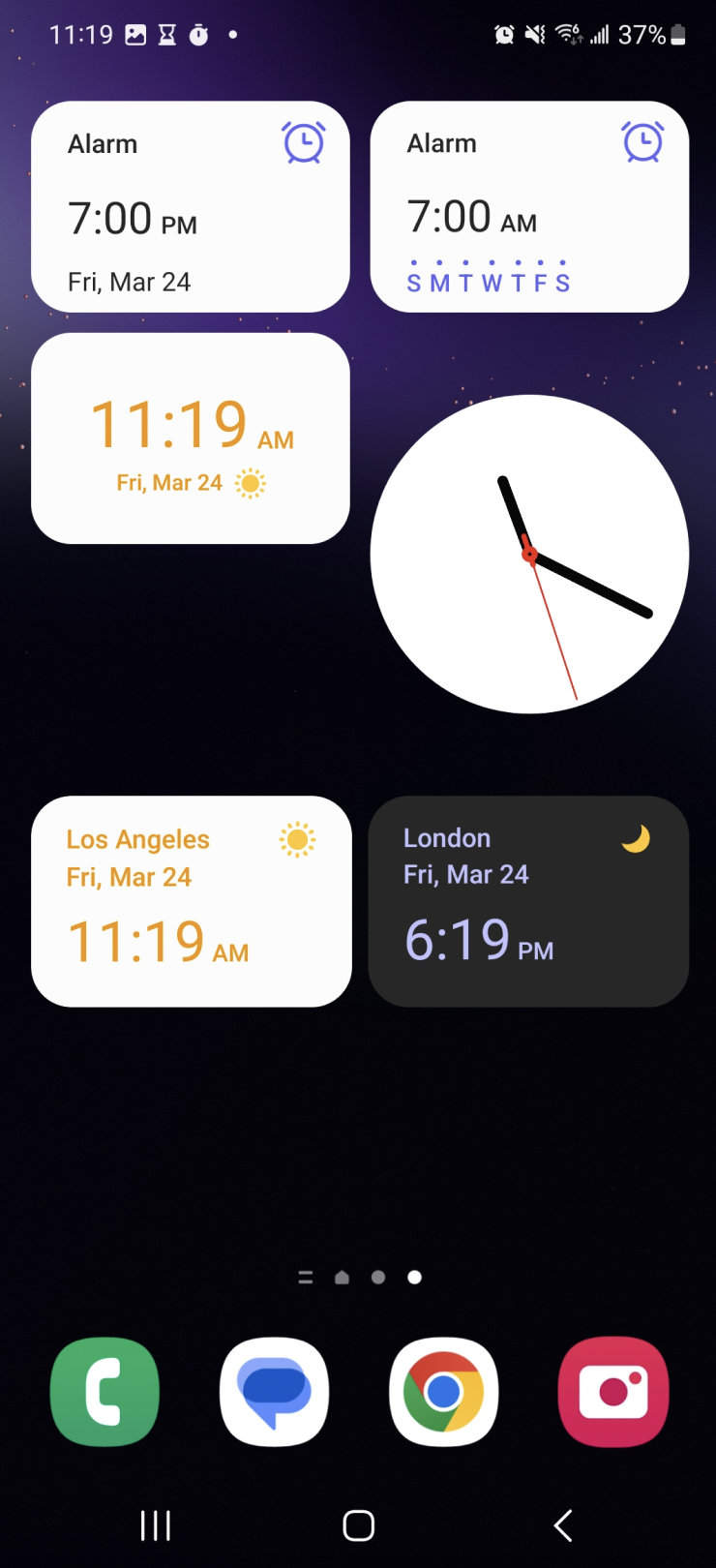
Before conversion, the system needs to understand what a widget actually is. Widgets are not miniature apps — they are task-driven shortcuts. They surface a single end-to-end journey. Their layouts are optimized for speed, not exploration.
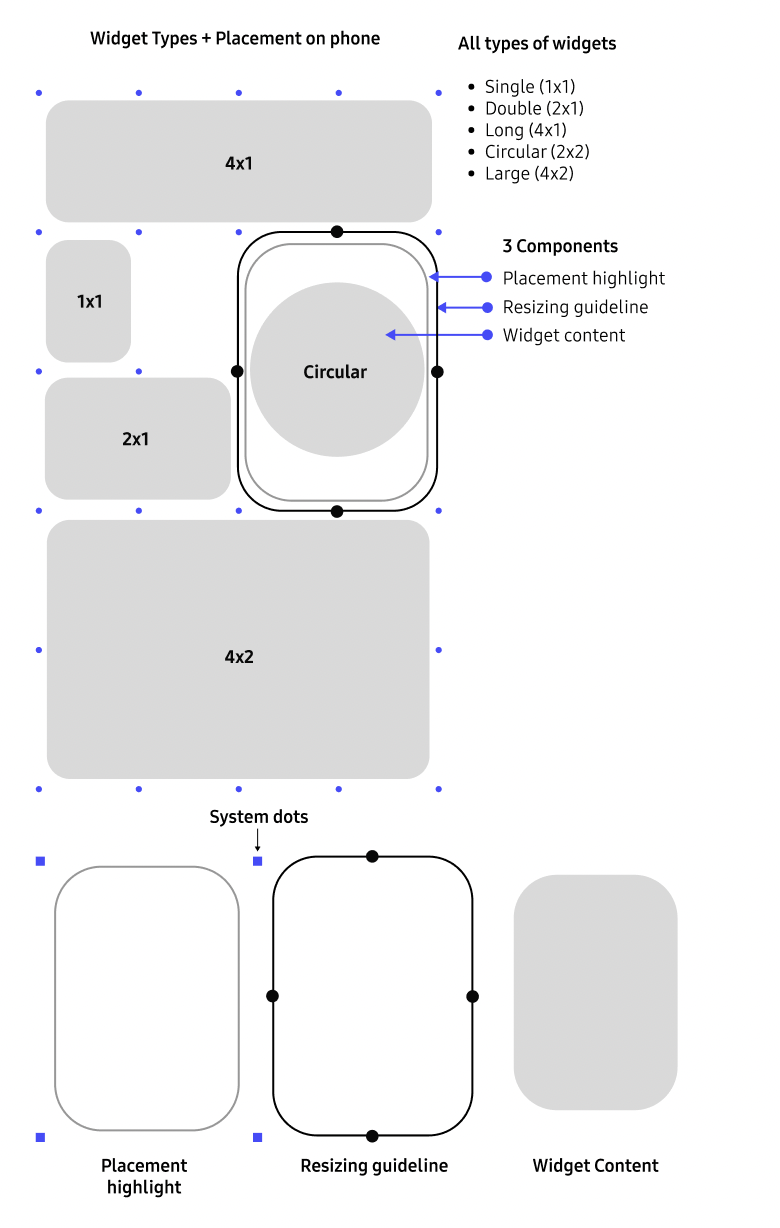
A widget is not a UI fragment — it is a structured composition of intent: layout, hierarchy, and interaction roles encoded in 2D. These structures are not arbitrary. Grid position defines spatial constraints. Layering defines priority. Grouping defines relationships. Together, they form a latent model of how the interface works.
That model is the starting point for the conversion. The goal is to extract the spatial logic of the widget and translate it into a spatial representation.
The conversion pipeline: Four steps from 2D to 3D
The system translates a 2D interface into a spatial interaction through four stages: interpreting structure, organizing roles, mapping to space, and expressing behavior. Each stage preserves the original design intent — allowing interfaces to adapt without manual redesign.
01
Interpreting
Interpreting 2D UI structure.
Understand what each element represents. Identifying the roles in interaction — not their appearance.
02
Analyzing
Segment and classify UI elements.
Semantic categories define how each part behaves in space.
03
Spatial Mapping
Assign depth and XR position.
Elements map to a layered hierarchy and to XR surfaces.
04
Output Rendering
Render the layered 3D object.
Defines whether an element is read, touched, or exists as an object in space.
The middle steps run inside the automation loop. The outer steps stay user-defined.
Step 1: Interpreting Interface Structure
Before translation, the system needs to understand what each element represents. A widget is not parsed visually, but semantically. Buttons, labels, containers, and data are identified by their role in interaction — not their appearance. The core design decision was defining a taxonomy that allows the system to read interfaces consistently across layouts and widget types. This interpretation layer establishes what each element is, before deciding where or how it should exist in space.
Step 2: Segmenting the interpretation
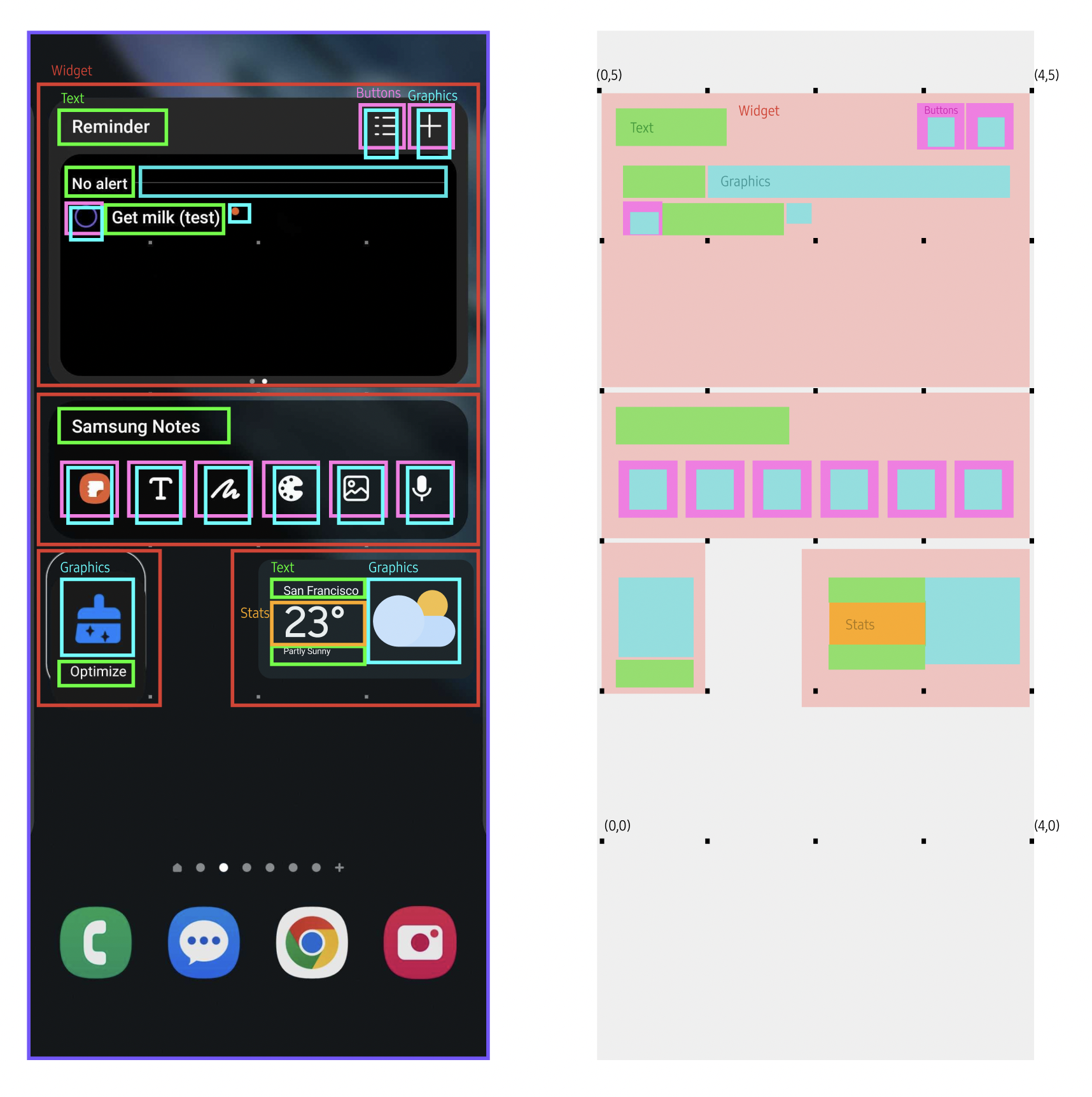
Before translation, the system reads interfaces semantically. Each element is classified by its role in interaction. A 7-category taxonomy defines how interface structure becomes spatial behavior.
01
Backing
Base surface. Defines footprint and anchoring.
02
Text
Passive content. Remains in background.
03
Chunking
Grouped meaning. Moves as a unit.
04
Buttons
Actionable elements. Closest to user.
05
Real-time data
Dynamic content. Updates continuously.
06
Visual elements
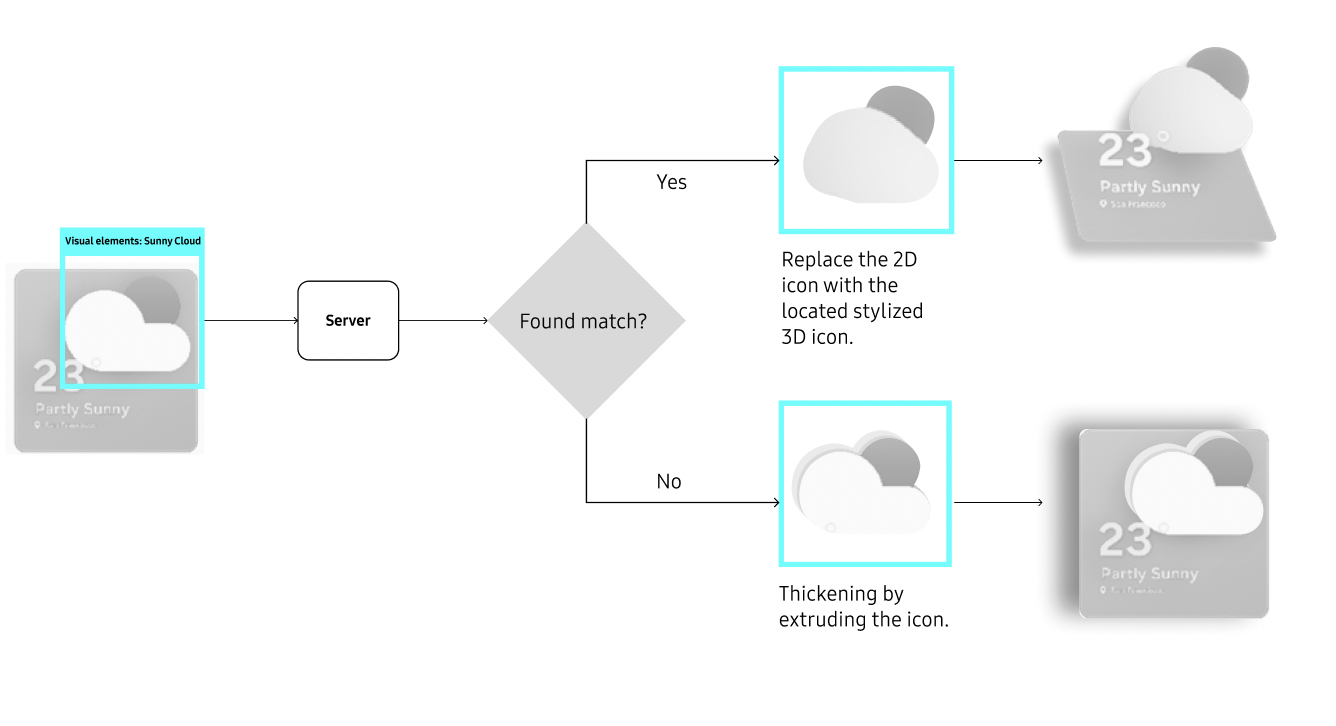
Decorative or symbolic. Can become volumetric.
07
Imported media
Rich content. Treated as spatial objects.
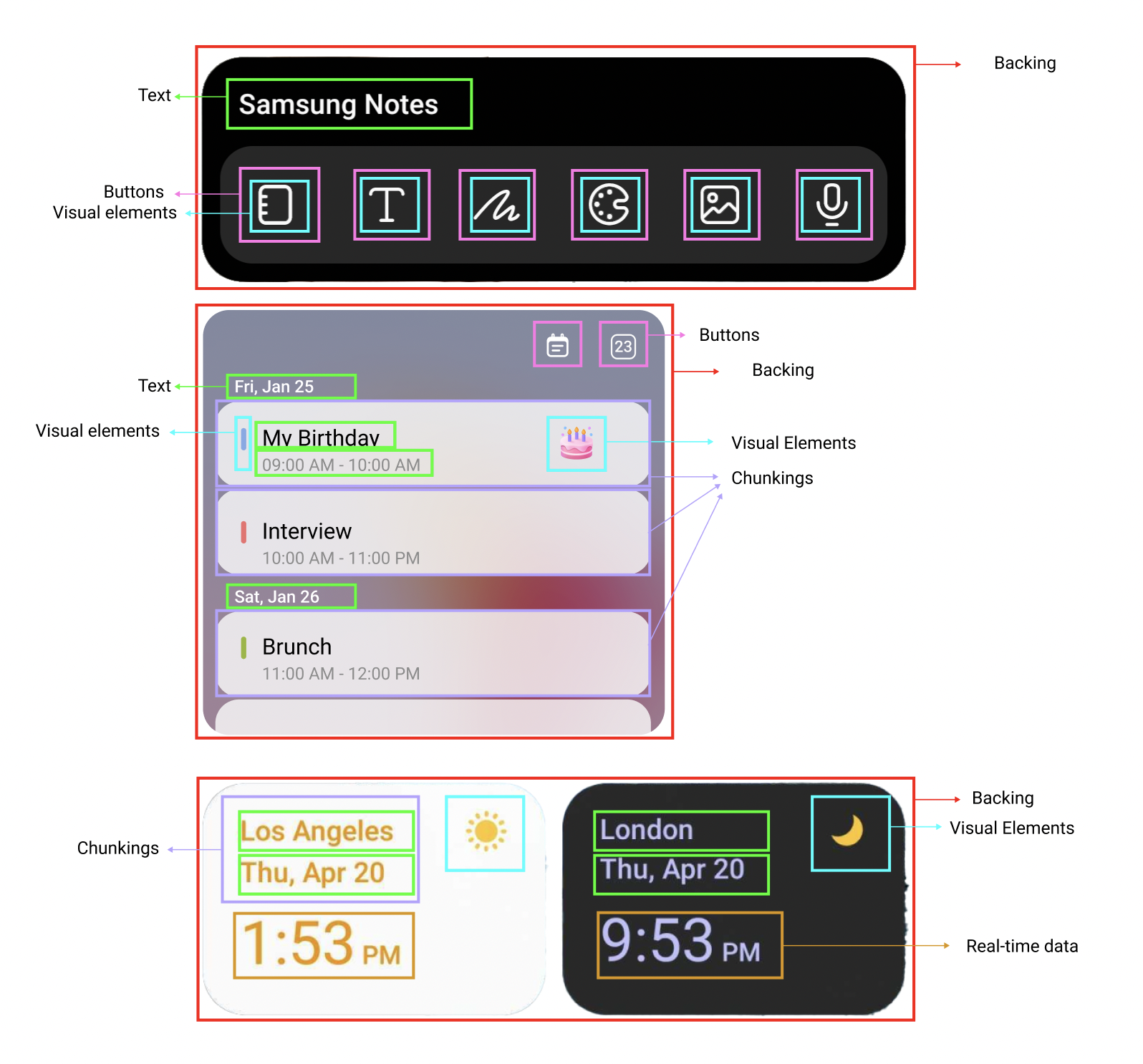
"Chunking is semantic, not visual."
Elements can separate visually and still belong together, or touch without forming a unit. The rule is simple: chunk when the bond is stronger than the gap.
Step 3: Spatial mapping: From screen coordinates to XR surfaces
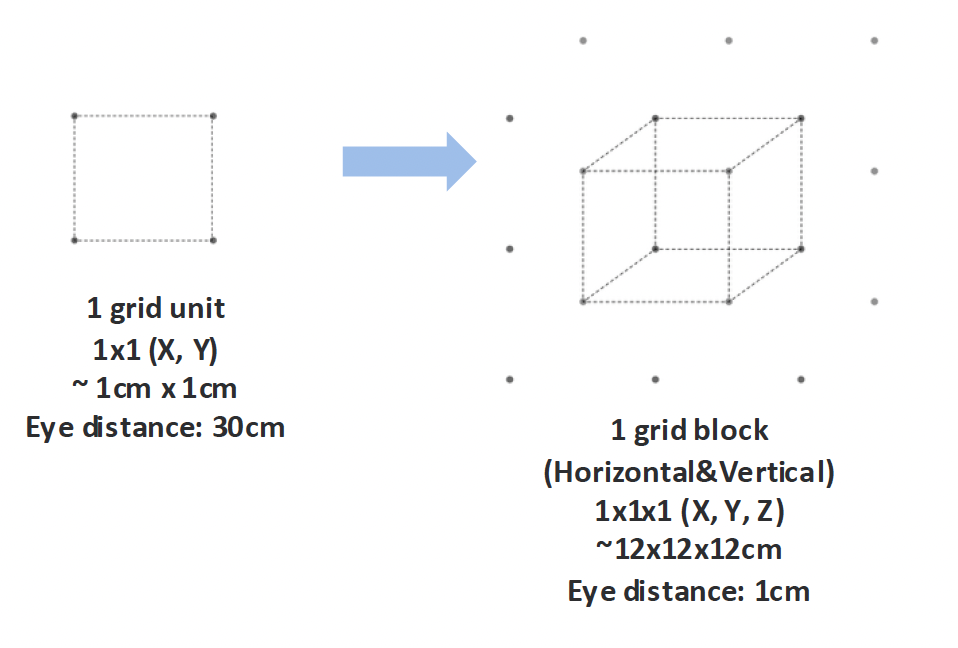
Once elements are classified, the system maps interface structure into space. Spatial position encodes interaction: what is closer can be acted on, what recedes is read. Layout becomes depth.
Rule 1
Depth encodes priority
Passive content remains in the background. Interactive elements move forward. Users reach for what they can act on.
Rule 2
Surfaces define layout behavior
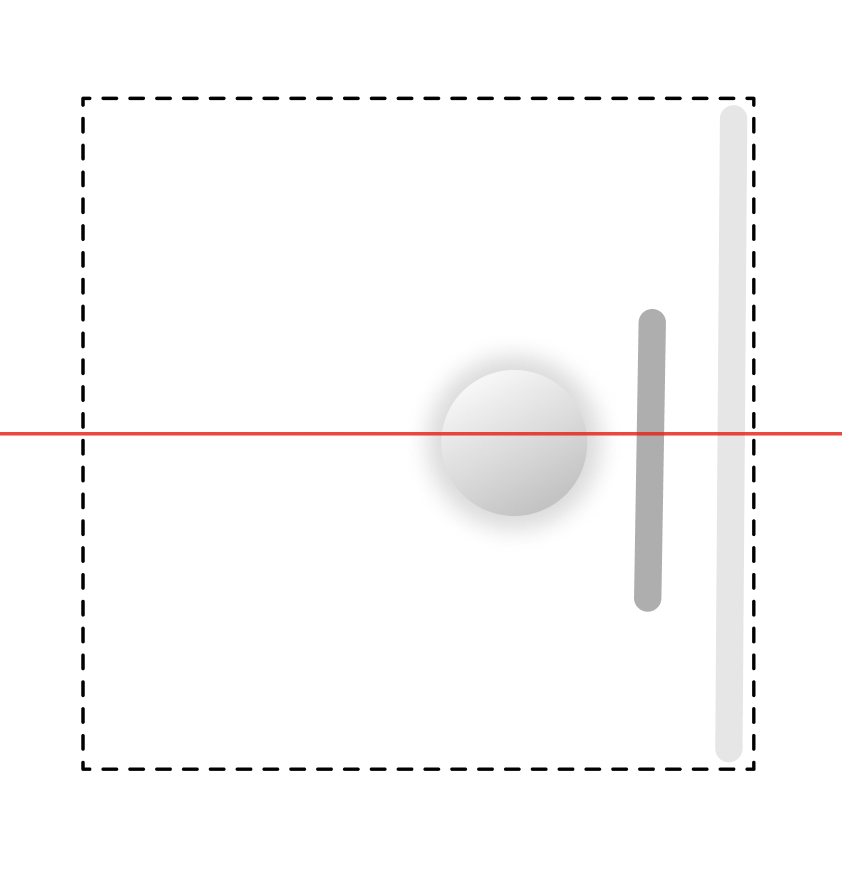
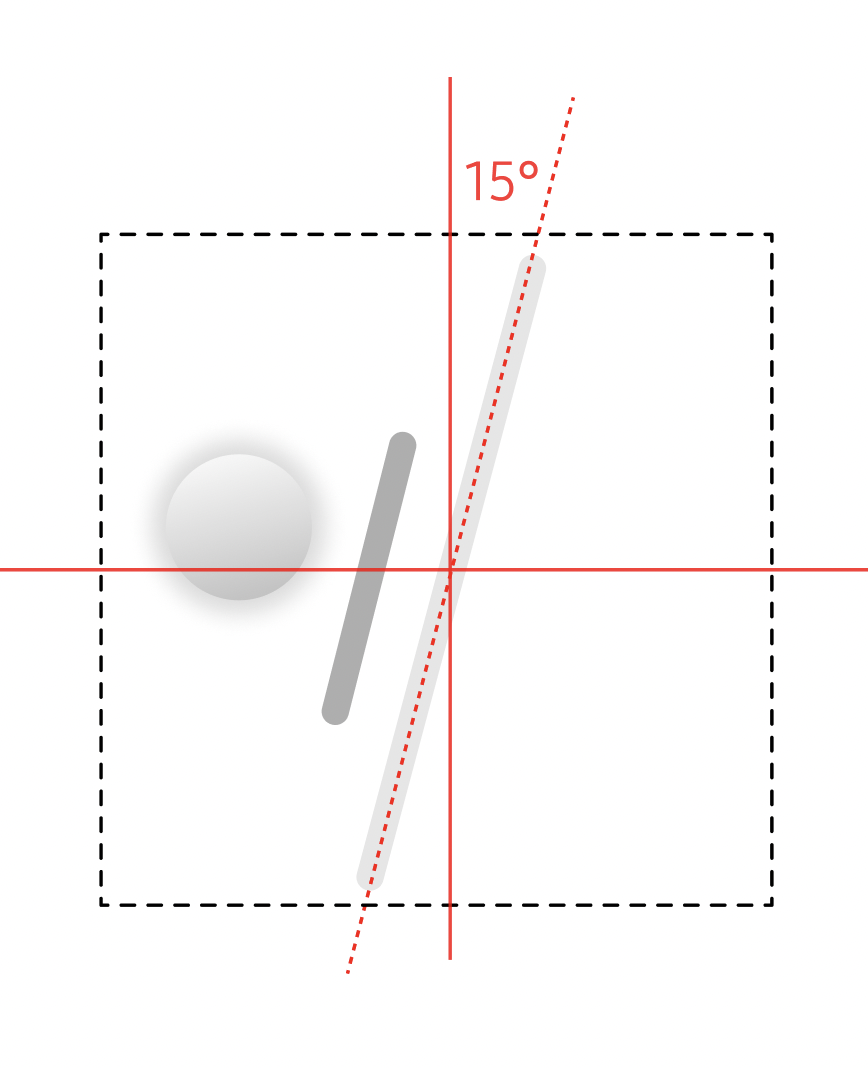
On vertical surfaces layouts stay flat and readable. On horizontal surfaces elements tilt toward the user for comfortable viewing.
Rule 3
Constrained mapping
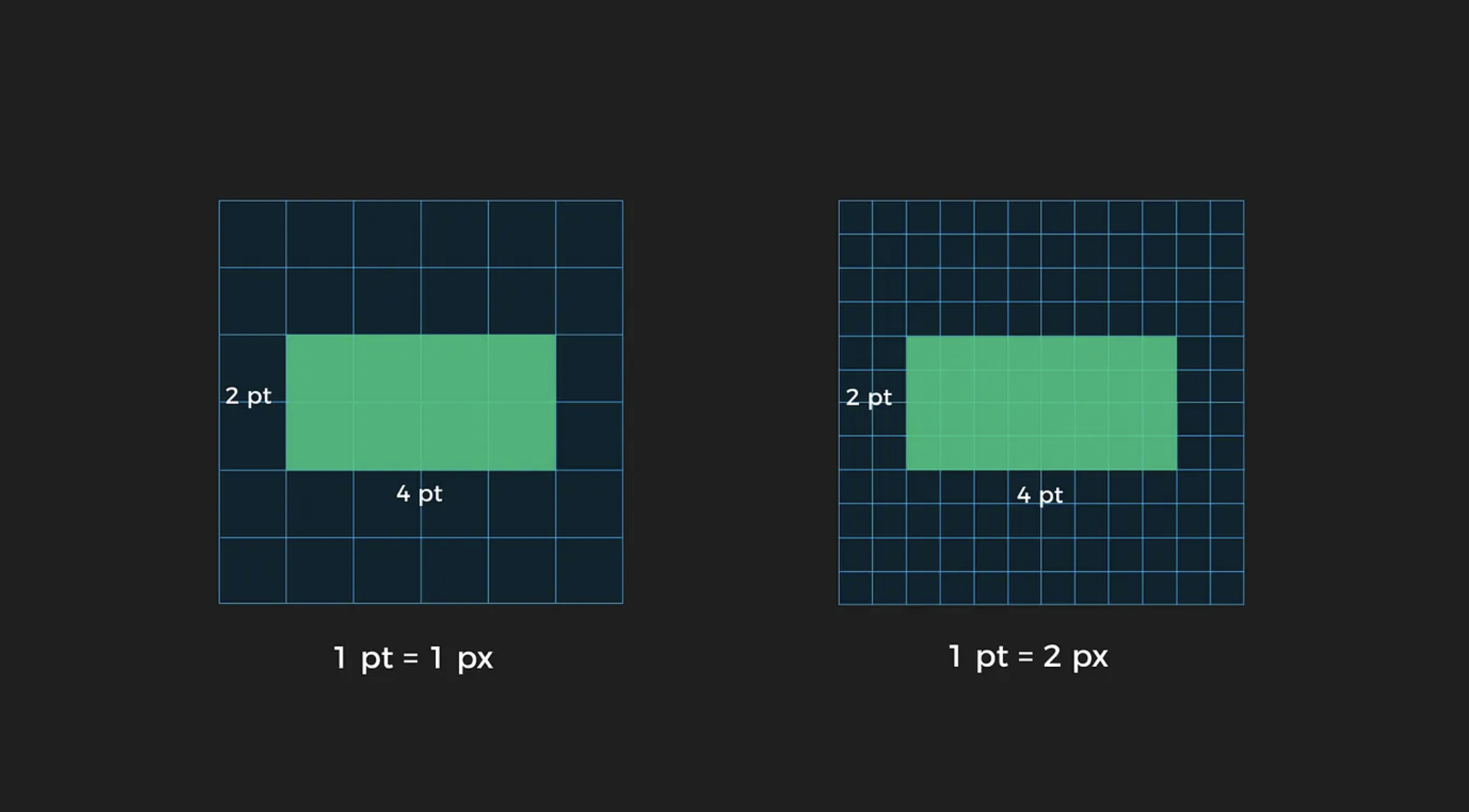
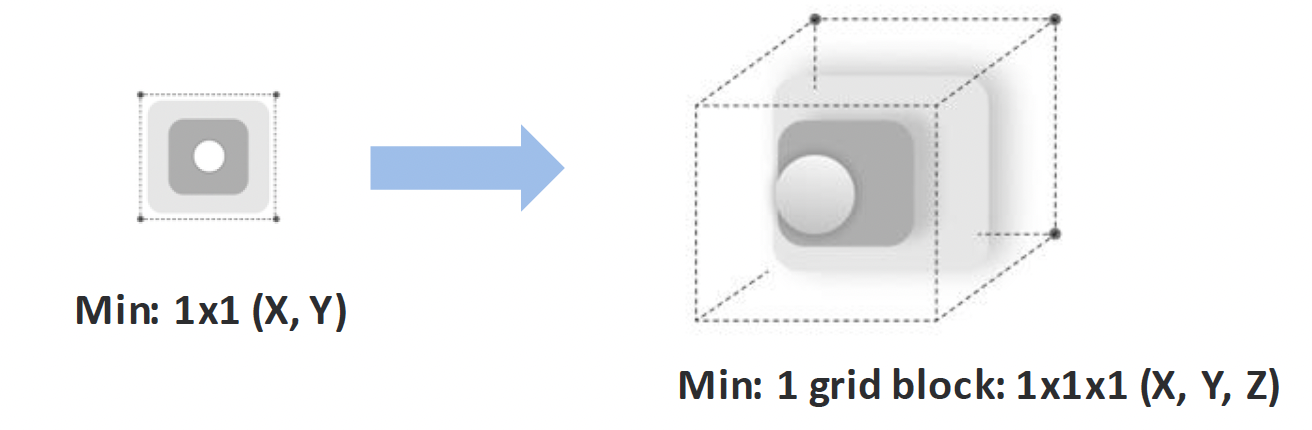
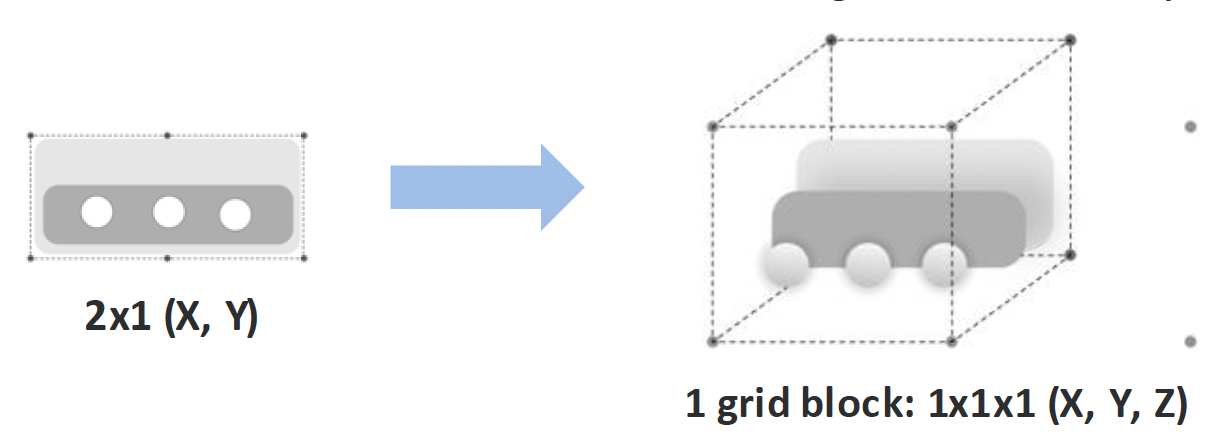
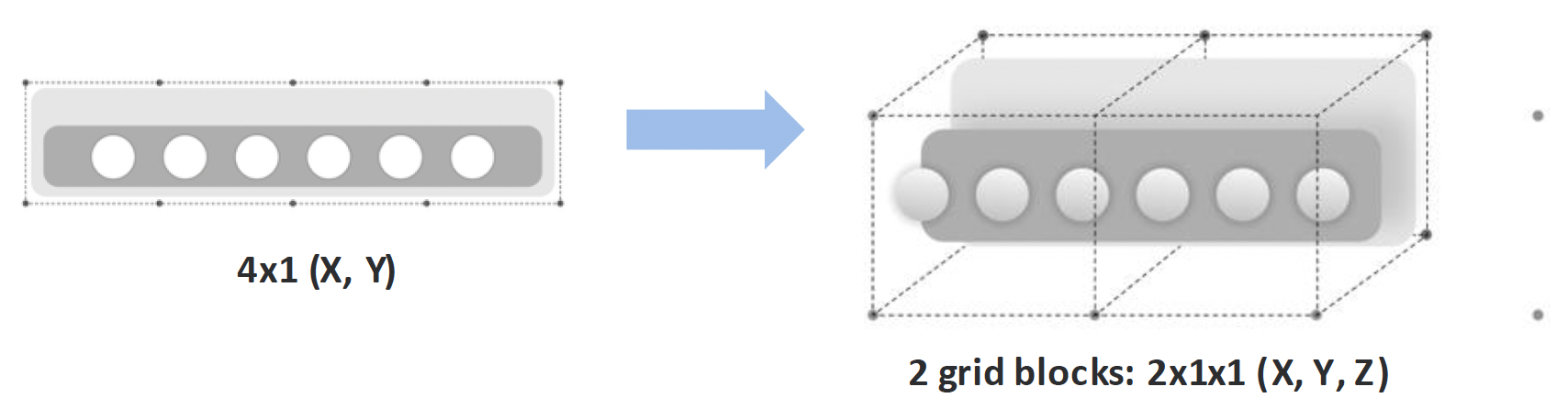
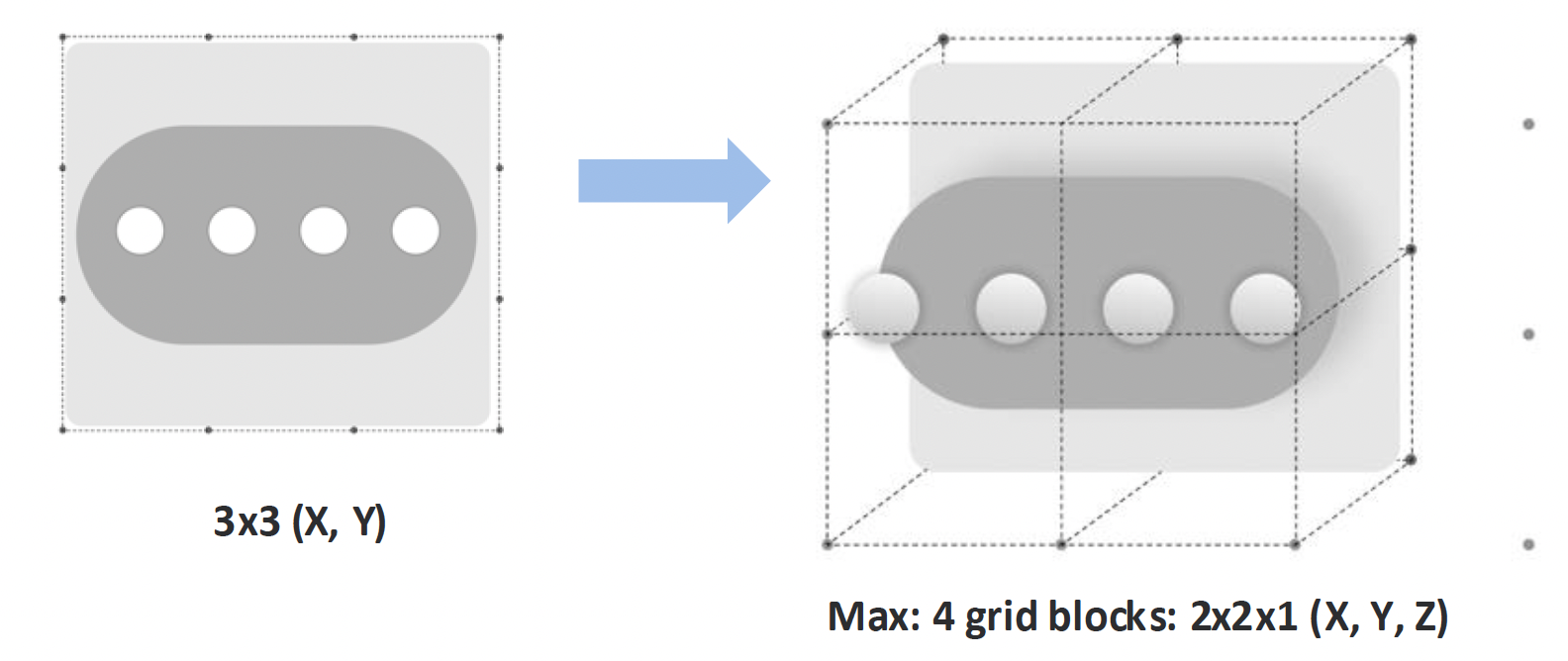
Size scales proportionally, but widgets stay within bounded footprint so they support the environment instead of dominating it.
Rule 4
No protrusions
The stack pivots as one object. Protrusions are resolved through tilt, base shift, and controlled scaling to preserve readability.
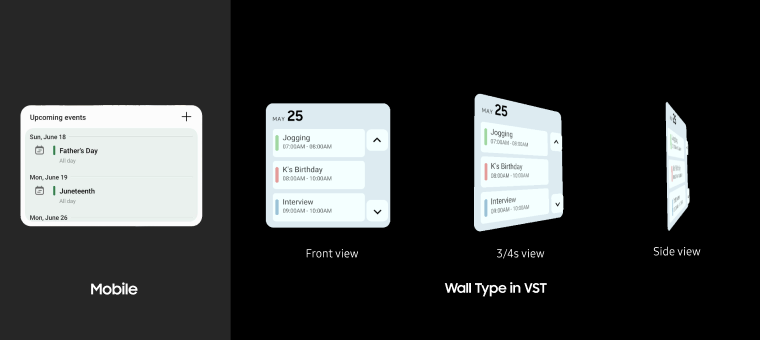
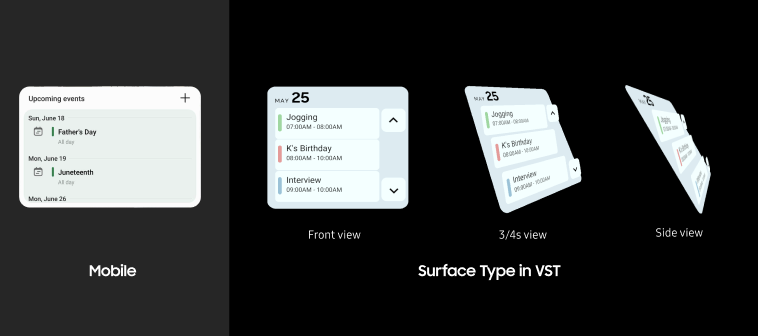
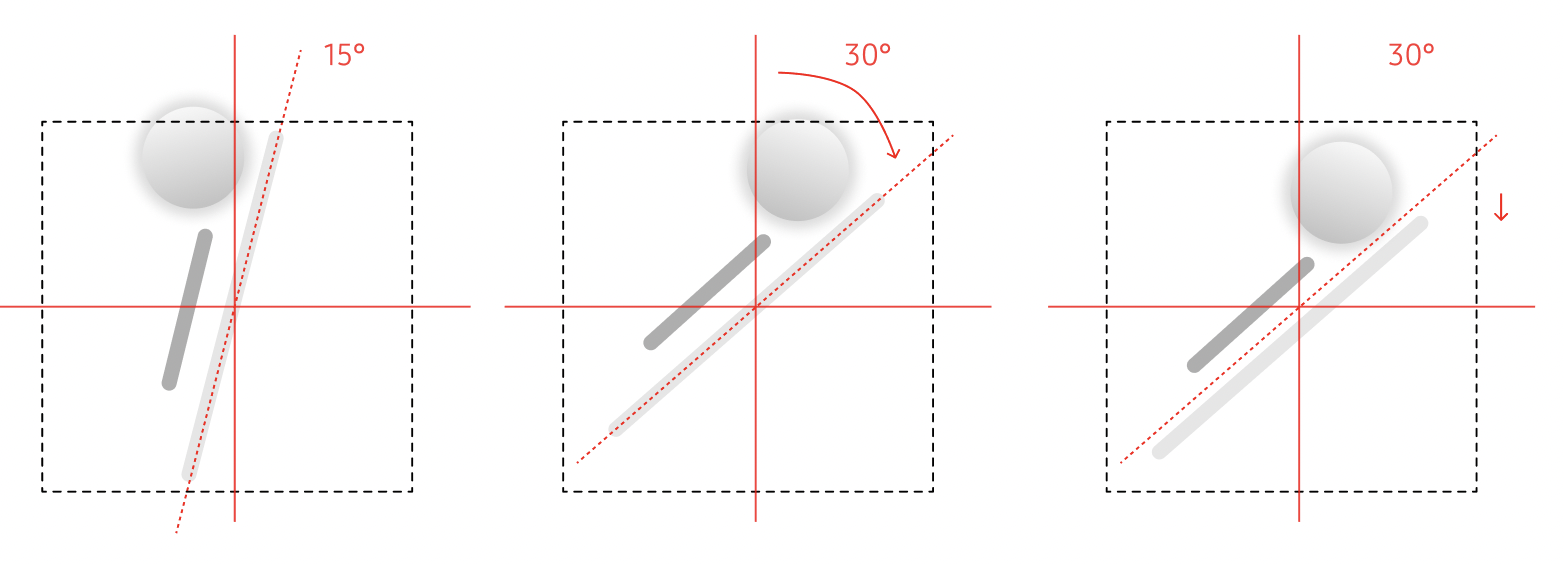
Step 4: Rendering — from flat panels to spatial objects
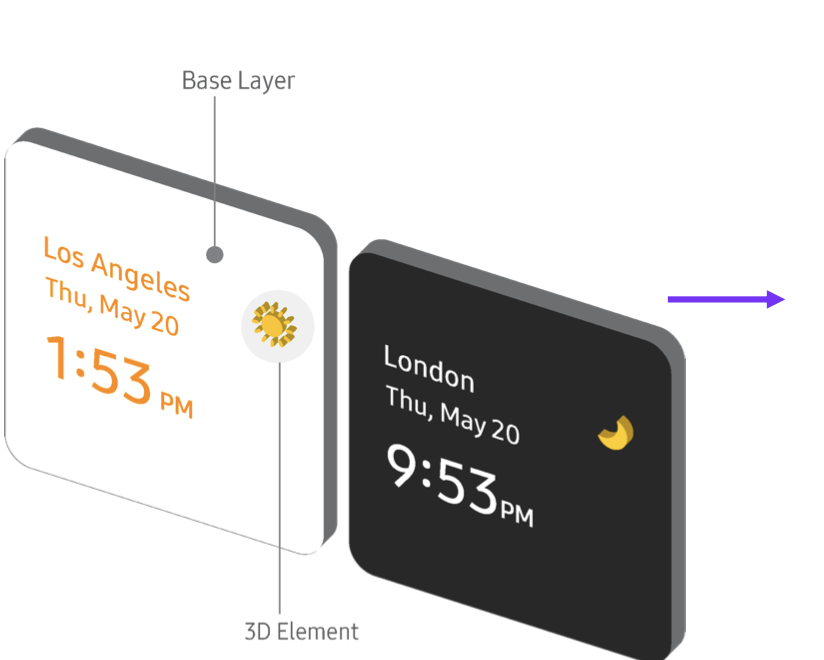
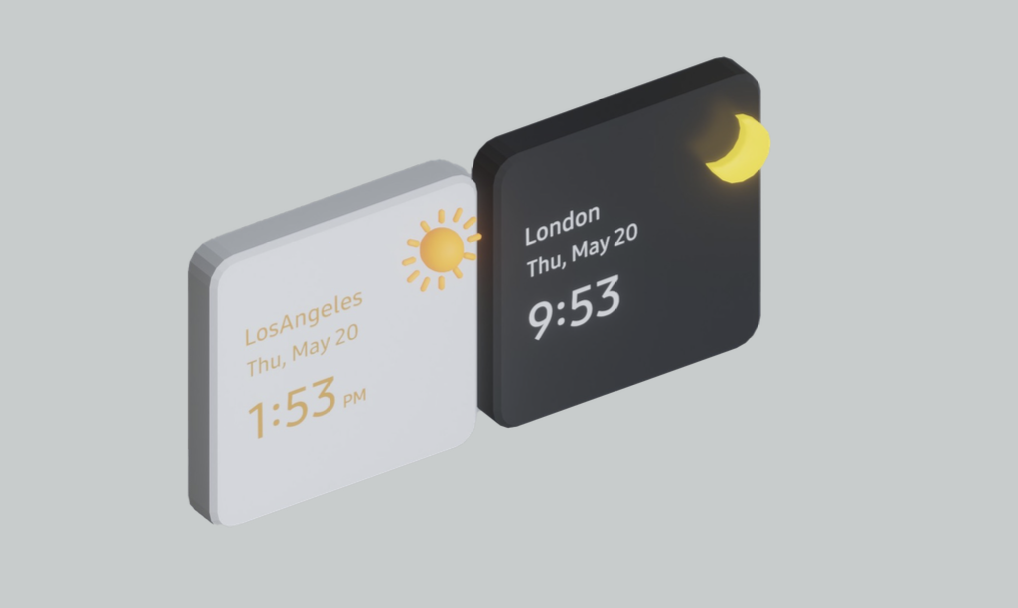
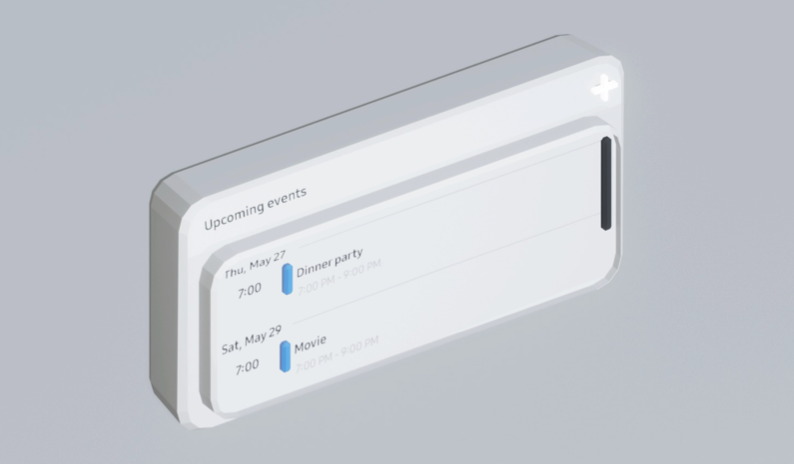
Rendering is where interpretation becomes interaction. It defines whether an element is read, touched, or exists as an object in space. The same structure can produce different spatial outcomes depending on how it is rendered. Rendering is where the taxonomy earns its value. Every classification choice determines depth, output type, and whether the object stays static or live.
Rule 1
Layers define objecthood
UI traits, e.g., colors and texture, stay preserved to keep visual familiarity. Most interface elements remain planar layered panels that preserve structure. They read as UI, not physical objects.
Rule 2
Volumetrics signal interaction
Elements become spatial only when interaction demands it. A volumetric object invites approach and manipulation, not just viewing.
Rule 3
Behavior remains live
Dynamic elements stay connected to their data. Rendering does not freeze state, it preserves live behavior in space.
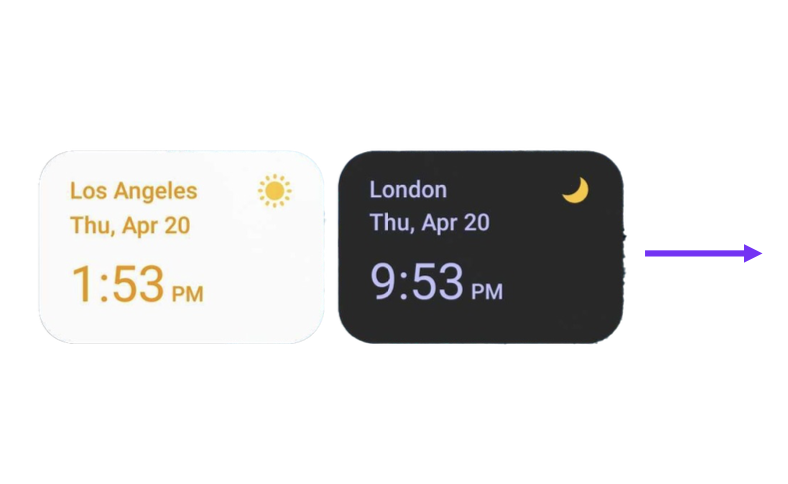
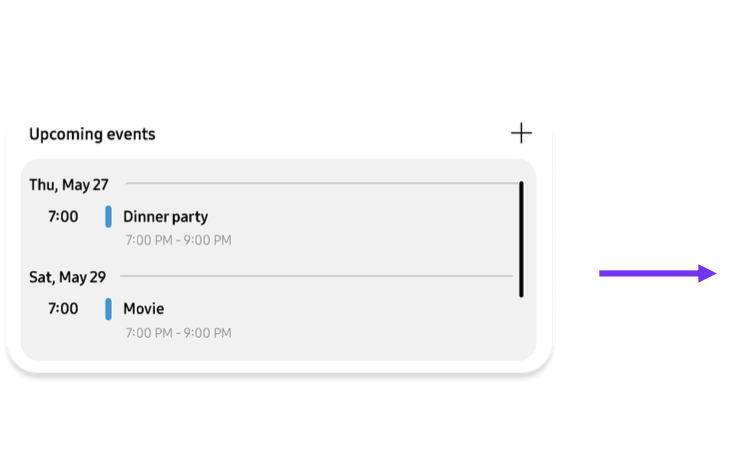

Validation: Does the system generalize?
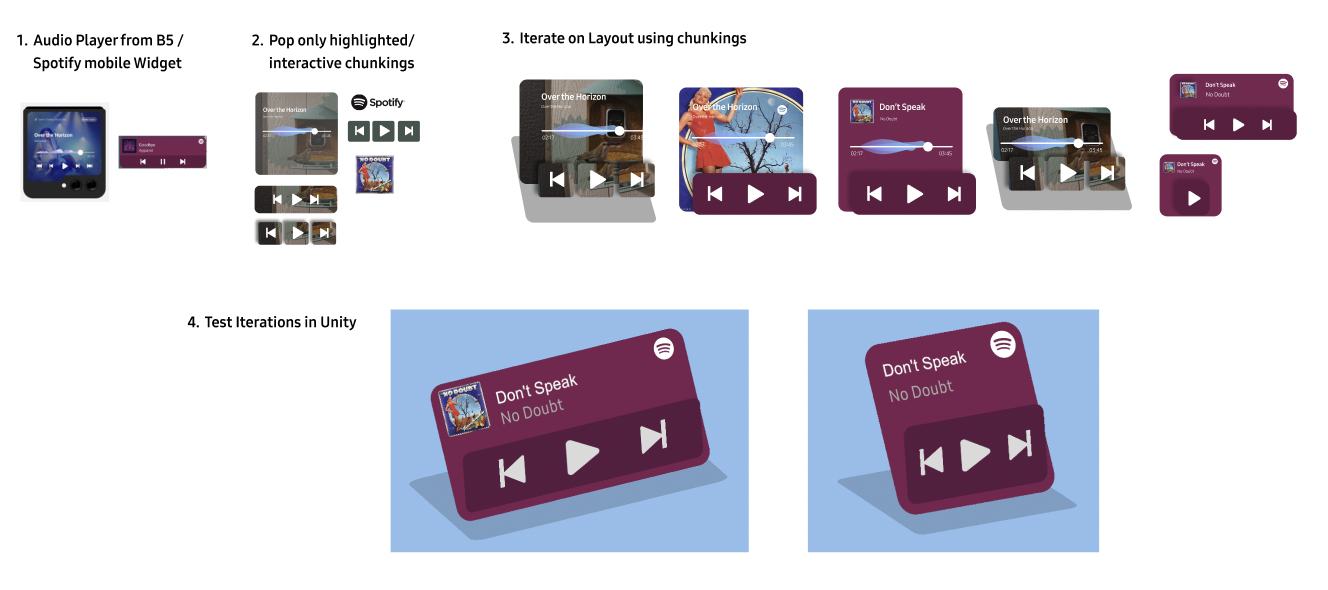
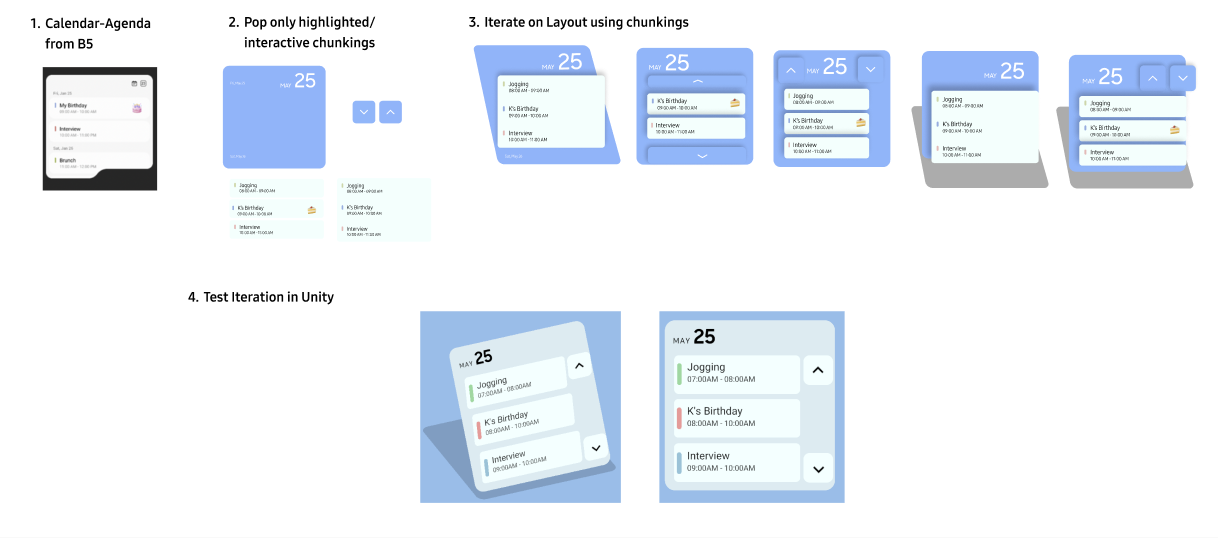
To validate the system, I applied it to two distinct widget types: interaction-dense (media player) and information-dense (calendar). Both converted without manual tuning — testing whether the rules generalize beyond a single layout.
01
Media player
Controls move to the active layer, while metadata remains in the background. Depth separates interaction from context without increasing footprint.
02
Calendar
Events remain grouped as chunks. Interaction expands detail on demand, while navigation controls separate into their own layer to avoid conflict.
03
User validation
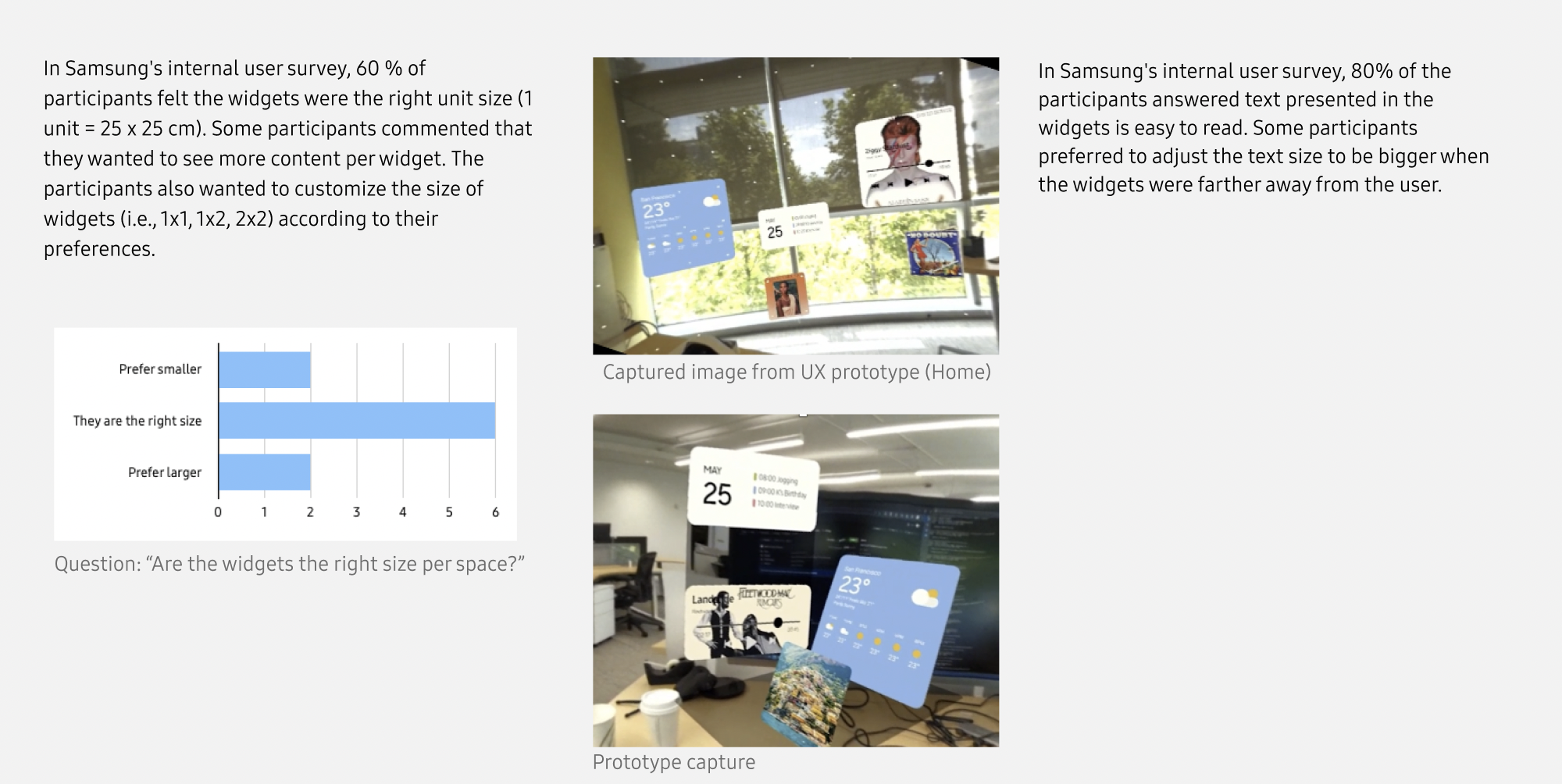
A prototype ran for testing legibility, comfort, and whether depth alone could communicate priority. 60% found default spatial size appropriate, 80% reported text remained readable, and users identified interactive elements without instruction.
Impact and Outcome
This work establishes a system-level approach to translating 2D interfaces into spatial environments — a problem every XR platform still faces.
Impact 1
Invention
The method was formalized as an A1 graded Disclosure of Invention, i.e., the highest commercial viability score on the evaluation rubric, establishing a technical foundation for 2D-to-3D interface translation.
Impact 2
Validation
The prototype validated the system: 60% of users found default sizing appropriate, 80% found text readable, and interactive elements were recognized without instruction.
Impact 3
Outlook
The core problem remains unsolved: XR platforms still rely on manual redesign.
This system proposes a reusable pipeline — classify, map, render — enabling existing UI libraries to adapt to space without rebuilding from scratch.
2D widgets took years to learn. They should take minutes to become spatial — not months to redesign.
Next project