Led Samsung Notes and Messages for Galaxy XR. Defined the app model, spatial interaction patterns, layer hierarchy, and multitasking behaviors across Home Space and Full Space contexts.
Galaxy App Spatial System
A spatial operating framework for XR built on a dual-mode system — Home Space and Full Space — defining how apps coexist, scale, and transition across contexts.
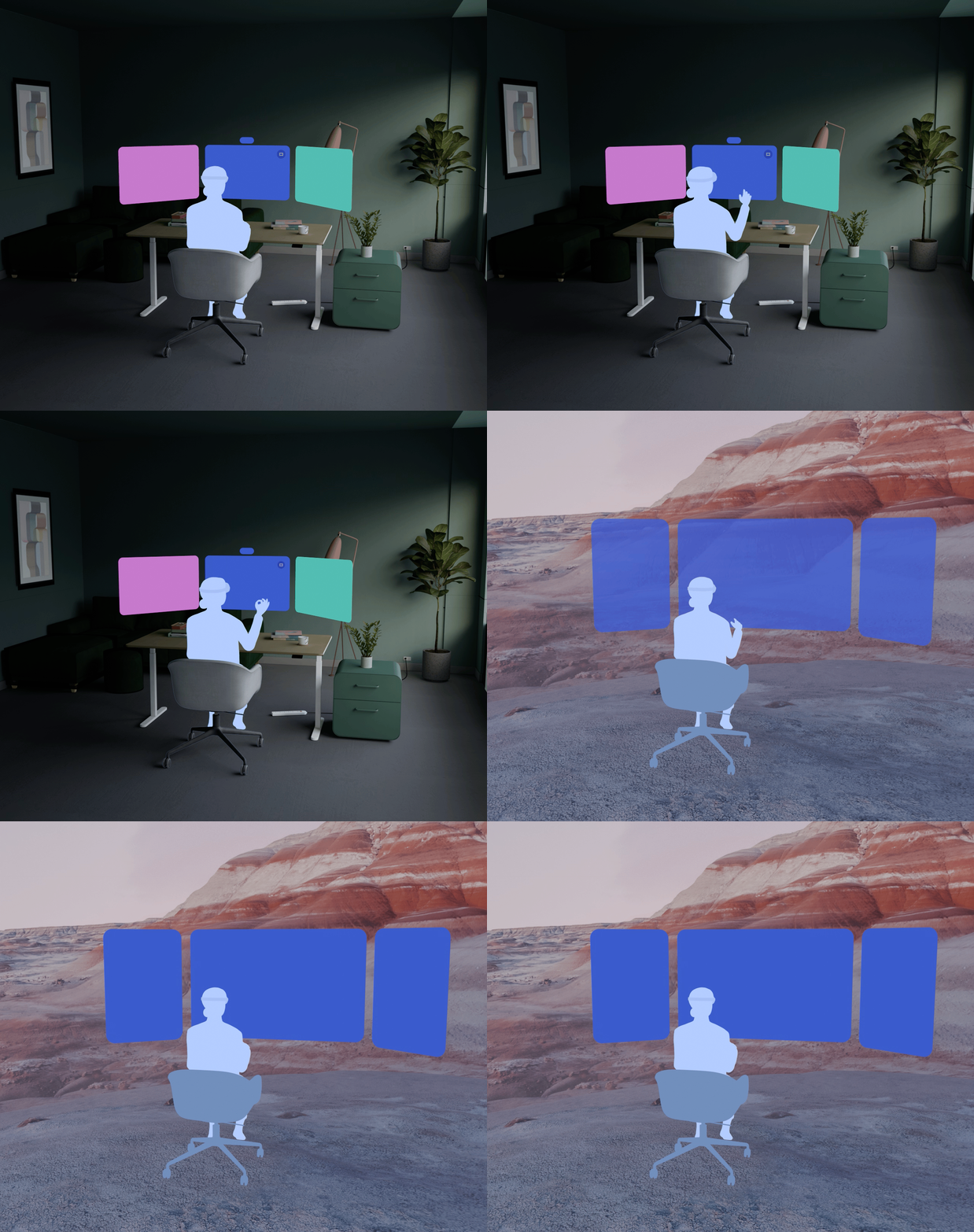
Galaxy XR required a coherent app system — not just individual apps, but shared rules governing how they coexist and transition. At its core is a binary between Home Space Mode (HSM) and Full Space Mode (FSM), defining how apps live, scale, and shift as user intent changes.
The system is defined through a dual-mode framework, spatial layering, persistent system surfaces, and a distance-based scaling model.
Cross departments, e.g., UX, Engineering, Research, Product Planning, etc.
Persistent interaction models ensuring continuity across app types and spatial contexts.
Two modes, one system. Every decision about where an app lives, how it scales, and how it yields to other apps flows from the HSM/FSM split.
Problem
Spatial computing collapses the gap between the operating system and the physical world. Apps are no longer windows on a screen, but floating panels in a shared space. Core system challenges:
- Apps need a consistent chrome — close, resize, minimize — regardless of category or spatial scale.
- The OS must distinguish between coexistent (HSM) and immersive (FSM) without requiring explicit user mode switching.
- System surfaces — app windows, taskbar, keyboard, notifications, etc. — require clear spatial layouts to avoid depth conflicts.
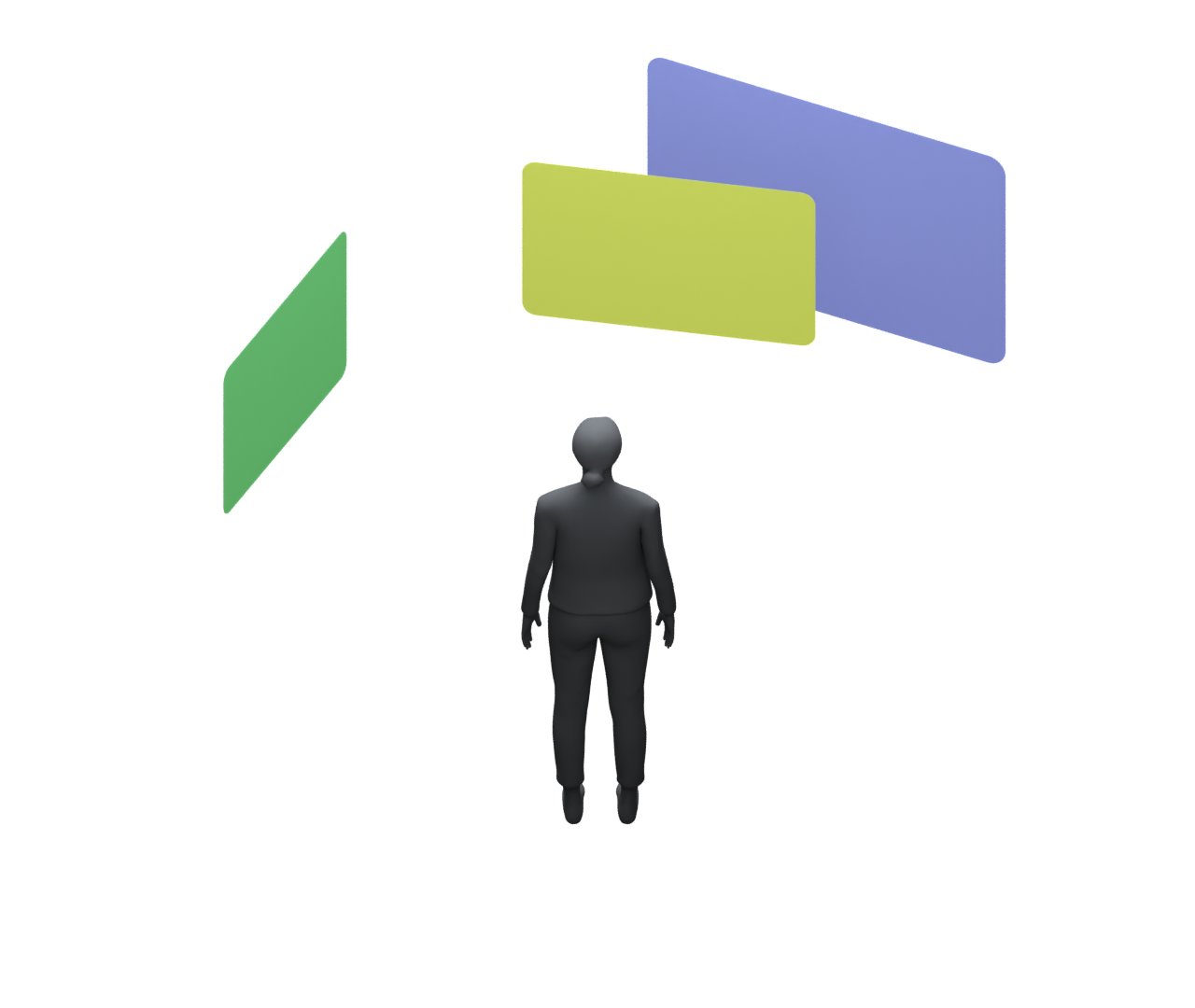
- Window size has no fixed physical meaning; The coordinate system must encode distance.
Approach
To address these challenges, the system defines a spatial operating model built on three core principles:
01
A dual-mode framework (HSM + FSM) to manage coexistence and immersion
Two modes, one system. Home Space Mode lets apps coexist in the physical world. Full Space Mode gives a single app total spatial authority. Every transition is system-managed — apps declare intent, the OS executes.
02
A layered spatial UI model to organize system and app surfaces
Five defined layers govern draw order, input ownership, and dismissal behavior across every system surface — from blocking modals down to app content. Same layer, same rules. No per-app negotiation required.
03
A distance-based scaling system (DMM) to ensure consistent ergonomics
1 dmm = 1 mm of physical width at any depth. Windows scale with distance, not screen resolution. Move a panel closer and it grows; push it away and it shrinks — the same physics as the physical world applied to software.
Together, these establish the rules for how apps live, interact, and transition across spatial contexts.
Apps in Spatial Hierarchy
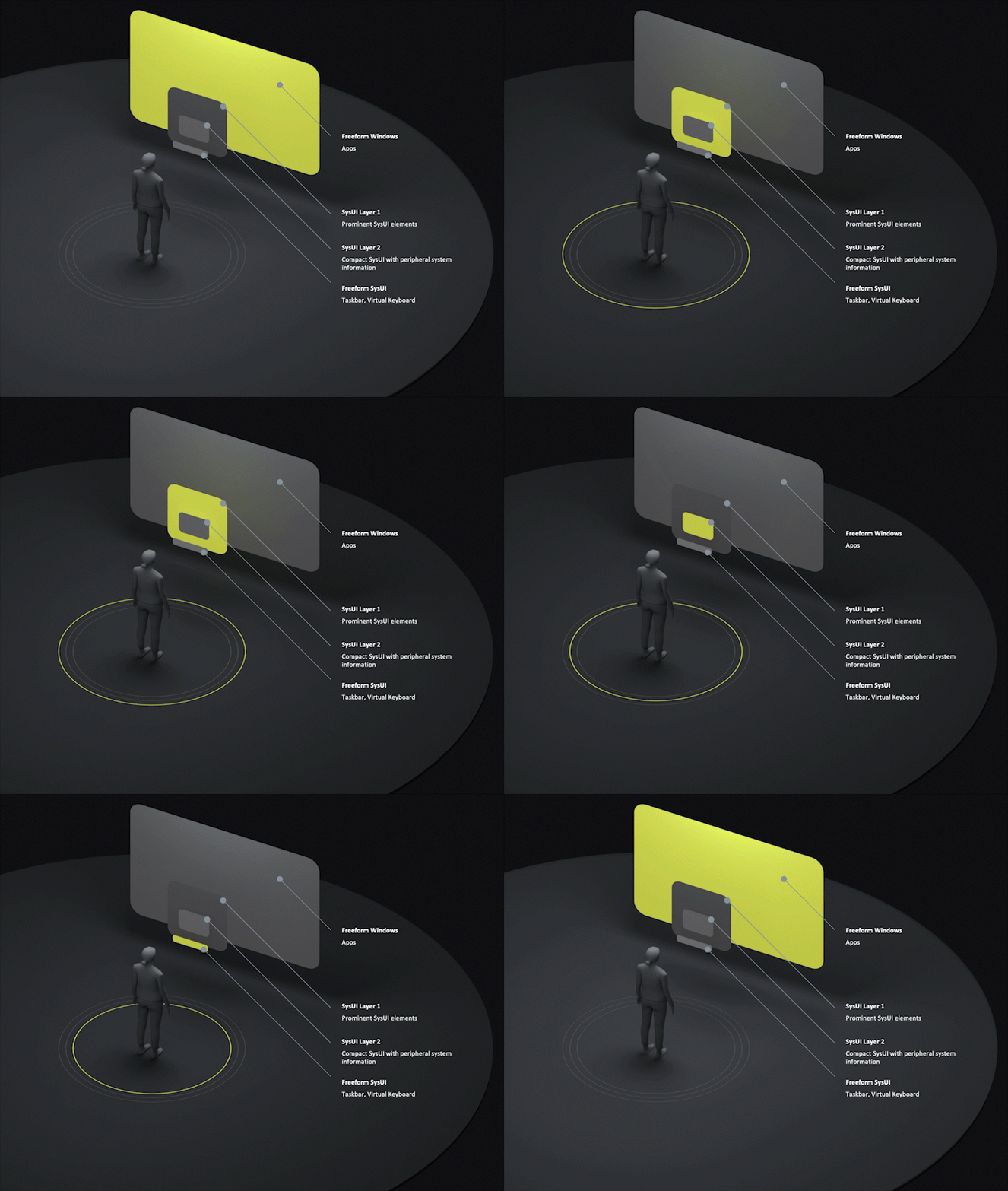
The spatial layer stack defines interaction priority, spatial persistence, and system visibility across Galaxy XR. The layer model defines draw order, interaction priority, and spatial behavior — ensuring system surfaces remain predictable across coexistence and immersion modes. Every surface — from blocking system UI to immersive app content — occupies a predictable layer within the shared spatial field.
L1
SysUI Layer 1
Exclusive system surfaces with blocking interaction priority.
App Tray · Notifications · Blocking Modals
L2
SysUI Layer 2
Non-blocking peripheral system surfaces.
Toasts · Heads-up Notifications
L3
Freeform SysUI
Persistent movable system tools within shared space.
Taskbar · App toolbar · Virtual Keyboard
L4
Freeform Windows
App windows within HSM and FSM.
App content, FSM environments
The App Model — HSM and FSM
The app model is defined through a set of persistent spatial states. Home Space Mode (HSM) supports coexistence: apps remain anchored within the user’s physical environment. Full Space Mode (FSM) grants a single app control of the spatial field for immersive experiences. Each state establishes consistent rules for layering, chrome, navigation, and transition. The system manages transitions between them.
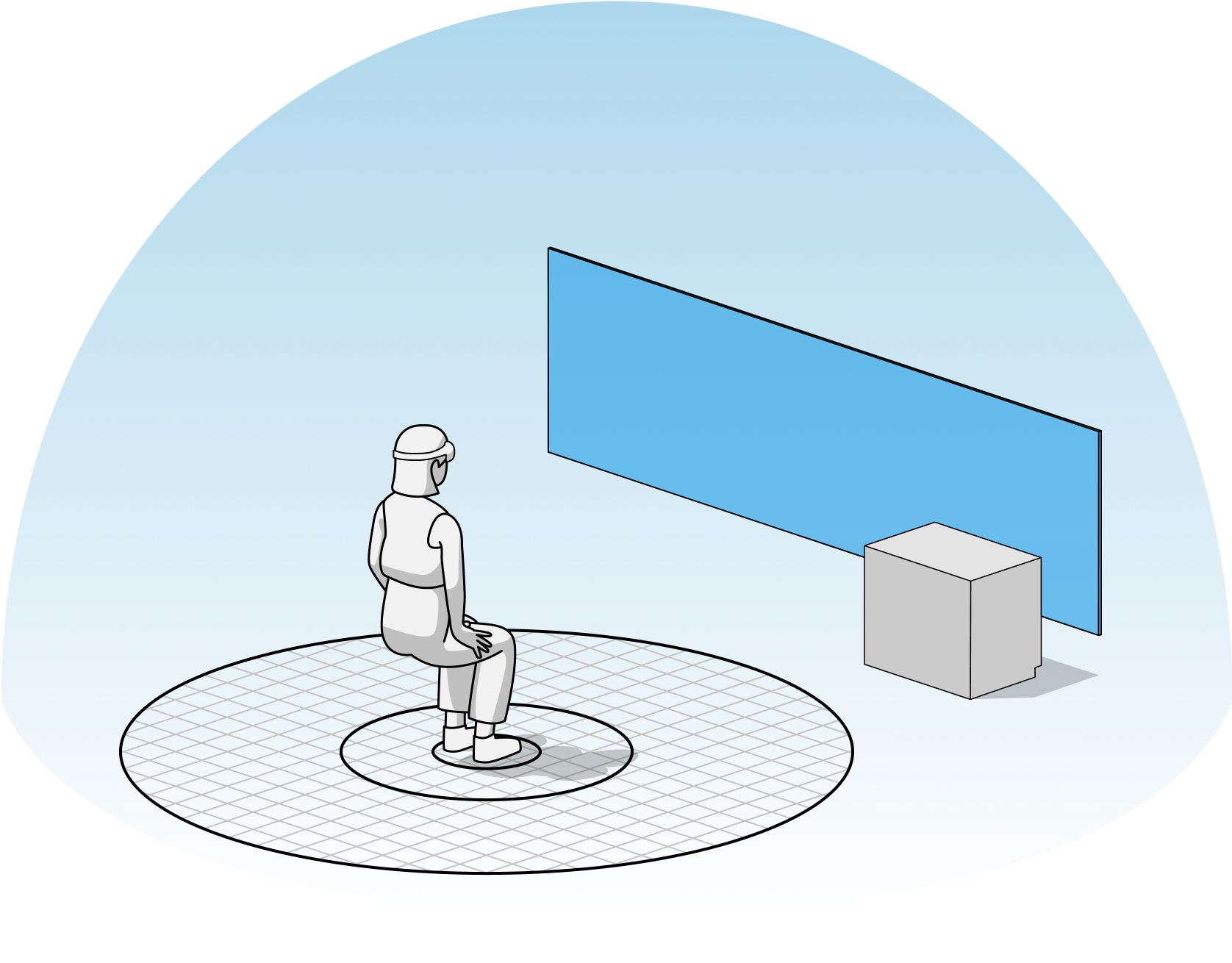
HSM — Home Space Mode
A multitasking environment
HSM is the default shared spatial context. Apps coexist within the user’s physical environment while system surfaces remain continuously accessible.
- Multiple apps can be active simultaneously
- System surfaces remain persistently accessible
FSM — Full Space Mode
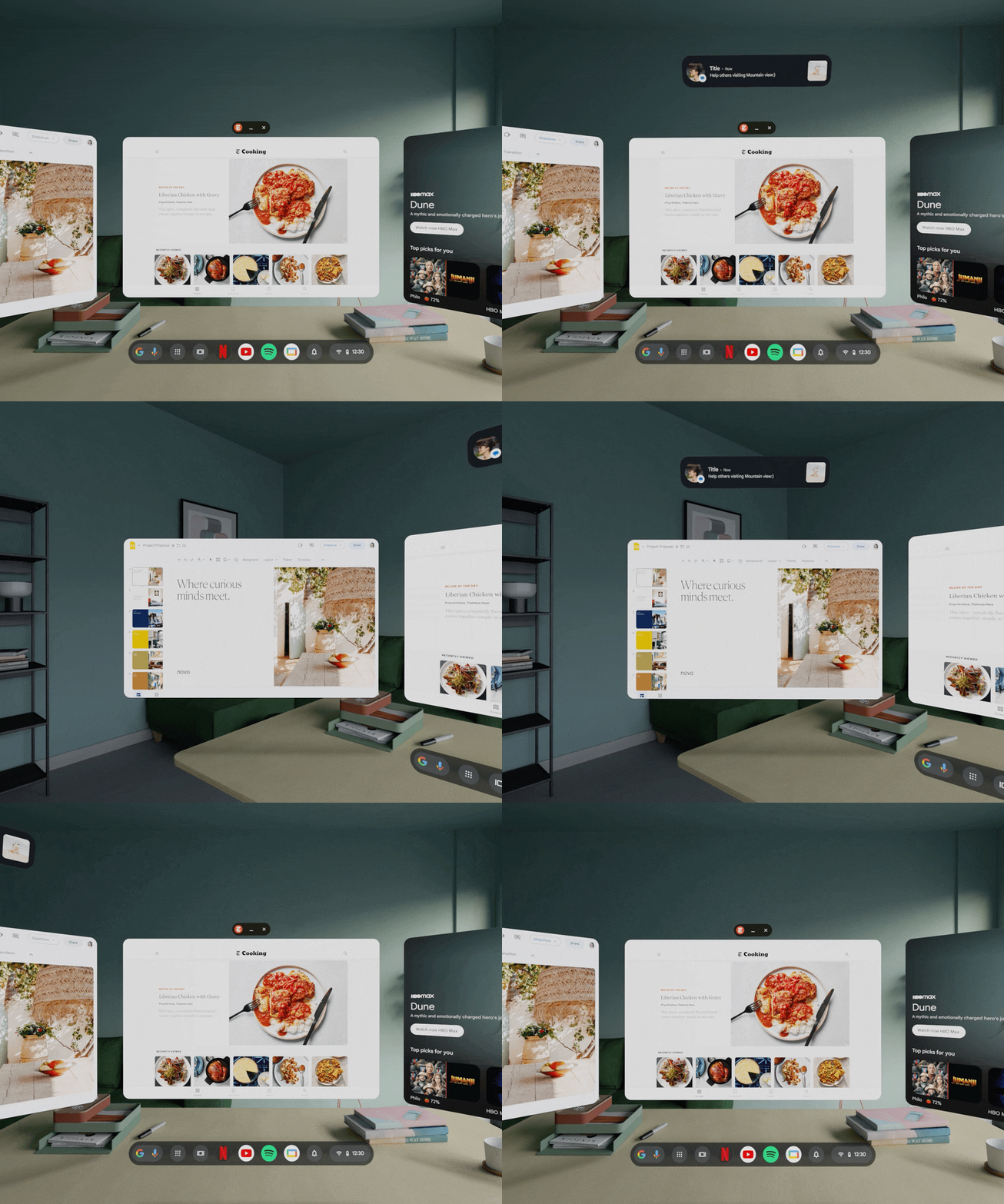
Full focused immersion
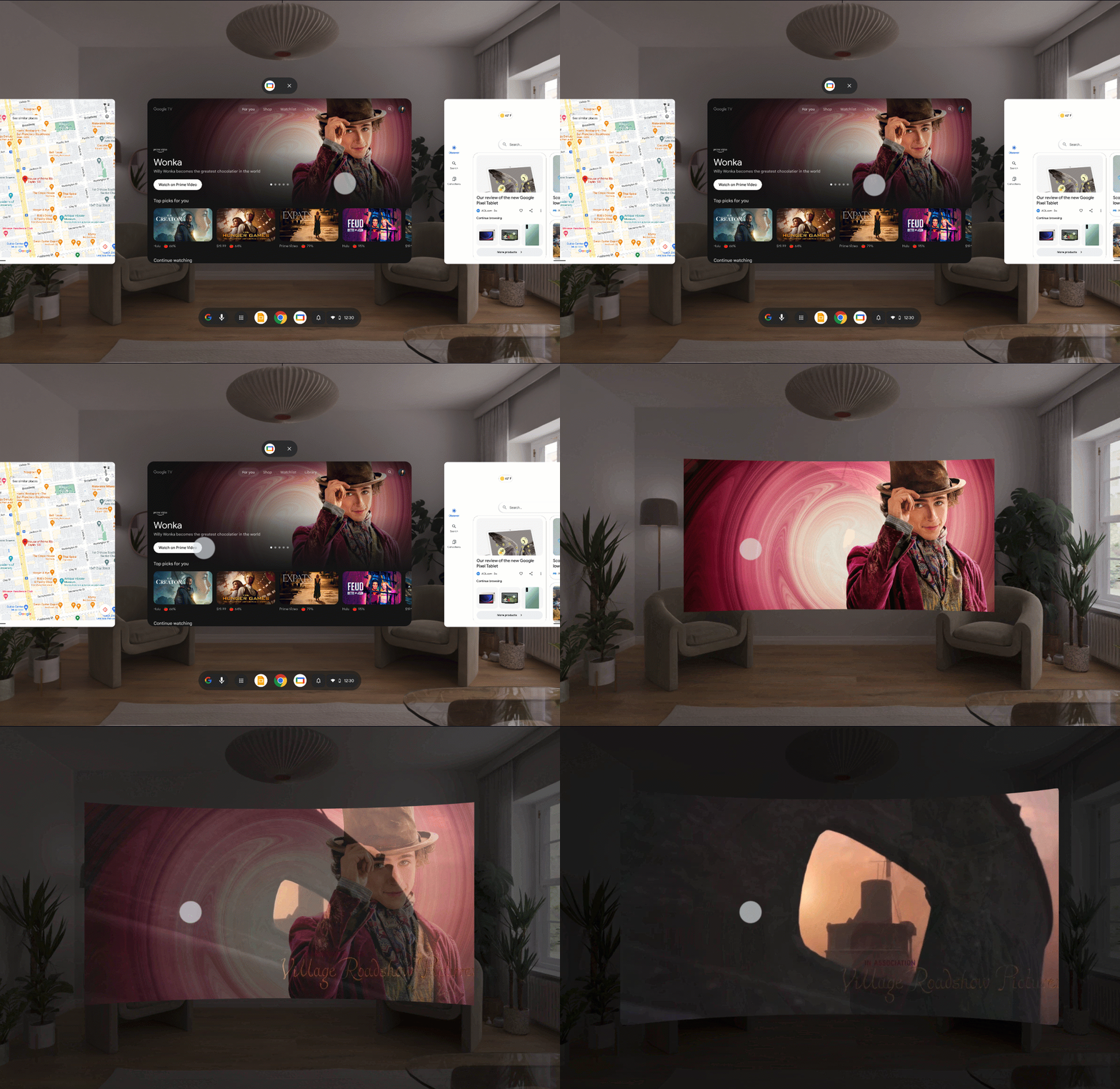
FSM grants a single app authority over the spatial field, minimizing competing surfaces and replacing the shared home environment.
- Single app controls the entire spatial field
- Shared environment and HSM surfaces fade out
App Mode Management
Mode management is system-controlled. Transitions between HSM and FSM preserve continuity automatically — minimizing manual window management while maintaining spatial memory and app persistence. These principles define consistent behavior across the platform.
01
One shell, all apps
Window controls and chrome are system-defined, not app-defined.
02
Scale is a function of distance
Spatial scale resolves from distance, preserving consistent physical ergonomics.
03
Mode transitions are system-managed
The system handles HSM and FSM transitions automatically while preserving continuity and state.
04
Spatial memory is preserved
Apps retain position, scale, and state across transitions and session changes.
Flow 01
Enter Full Space (FSM)
Launching an FSM app expands a single app into an immersive spatial context while minimizing competing surfaces.
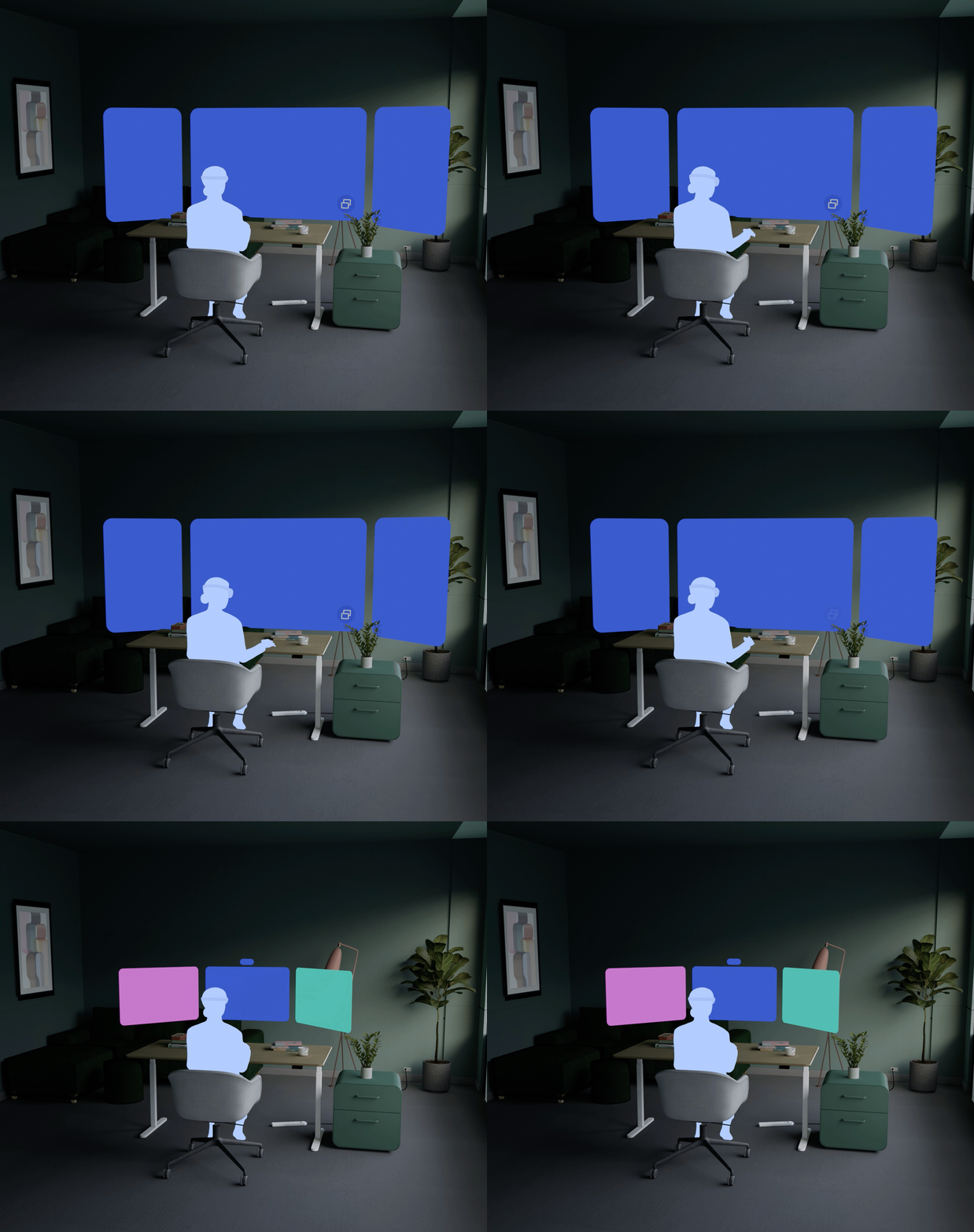
Flow 02
Return to Home Space
Returning home restores the shared HSM environment while preserving the FSM app state in the background.

Flow 03
Resume Persistent FSM
Reopening an FSM app restores its previous spatial state, position, and content automatically.
App Design Guideline
The system defines a family of app states rather than individual screens. Each state has consistent rules for chrome, layering, and transition. The nav cards below map the core states; the gallery shows the rendered form of each.
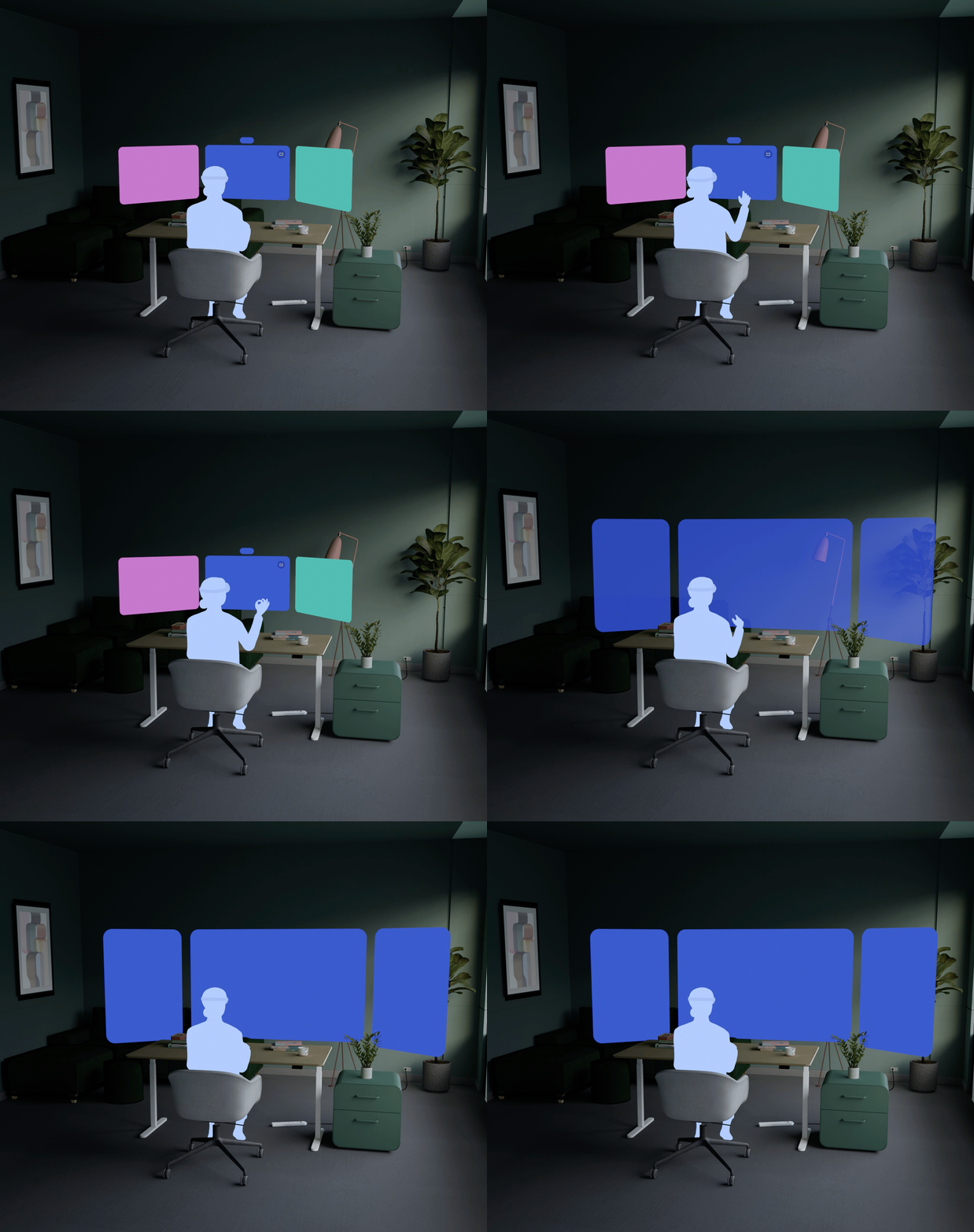
In spatial computing, interface scale becomes physical scale. Depth distance is added, which impacts size, readability, and reachability.
Consistent default sizes
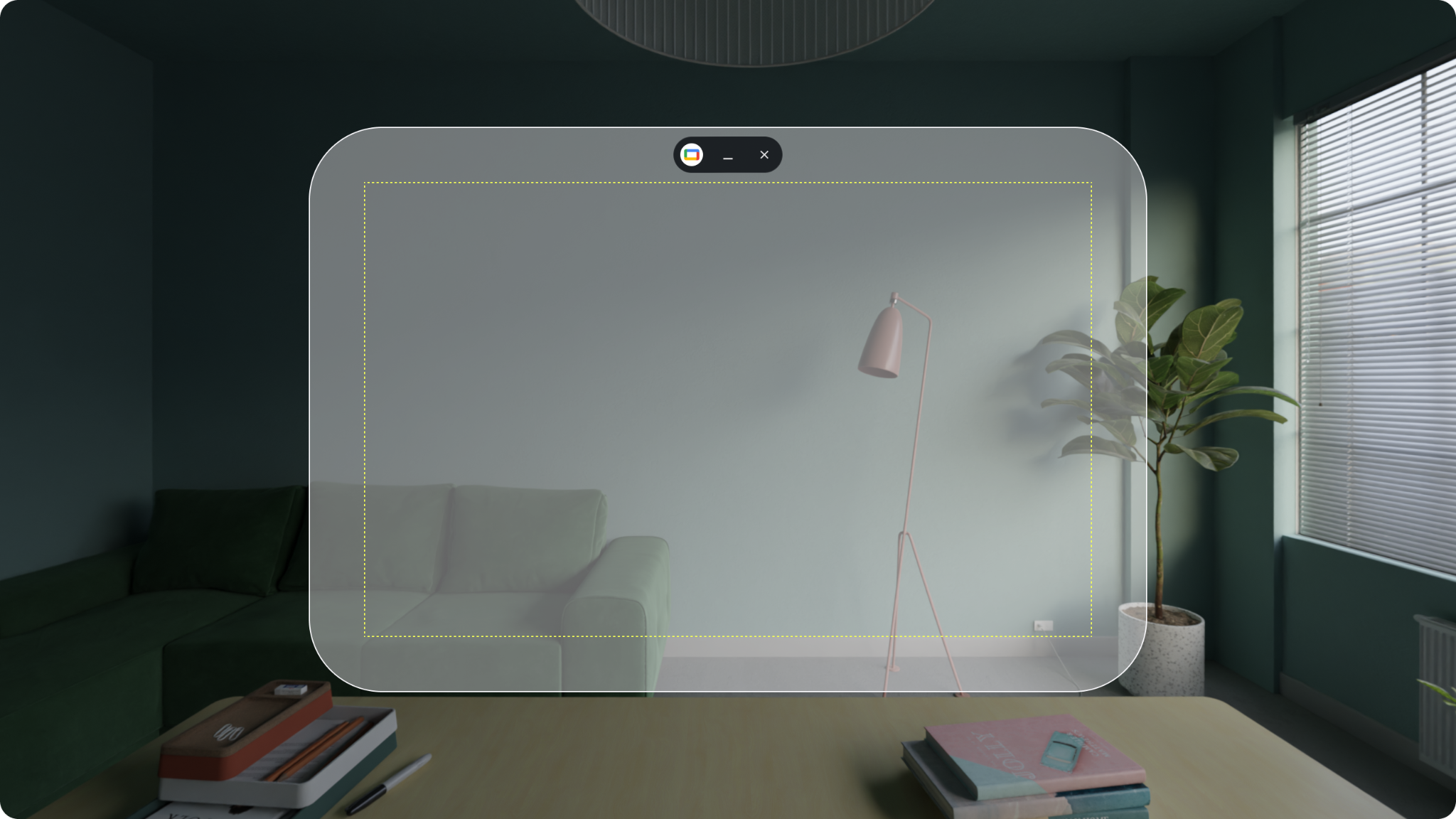
Apps preserve spatial context while presenting UI content in a clearly bounded frame.
Default app size in dp, equivalent to 1024 × 720 mm at 1 m.
Distance-based scaling
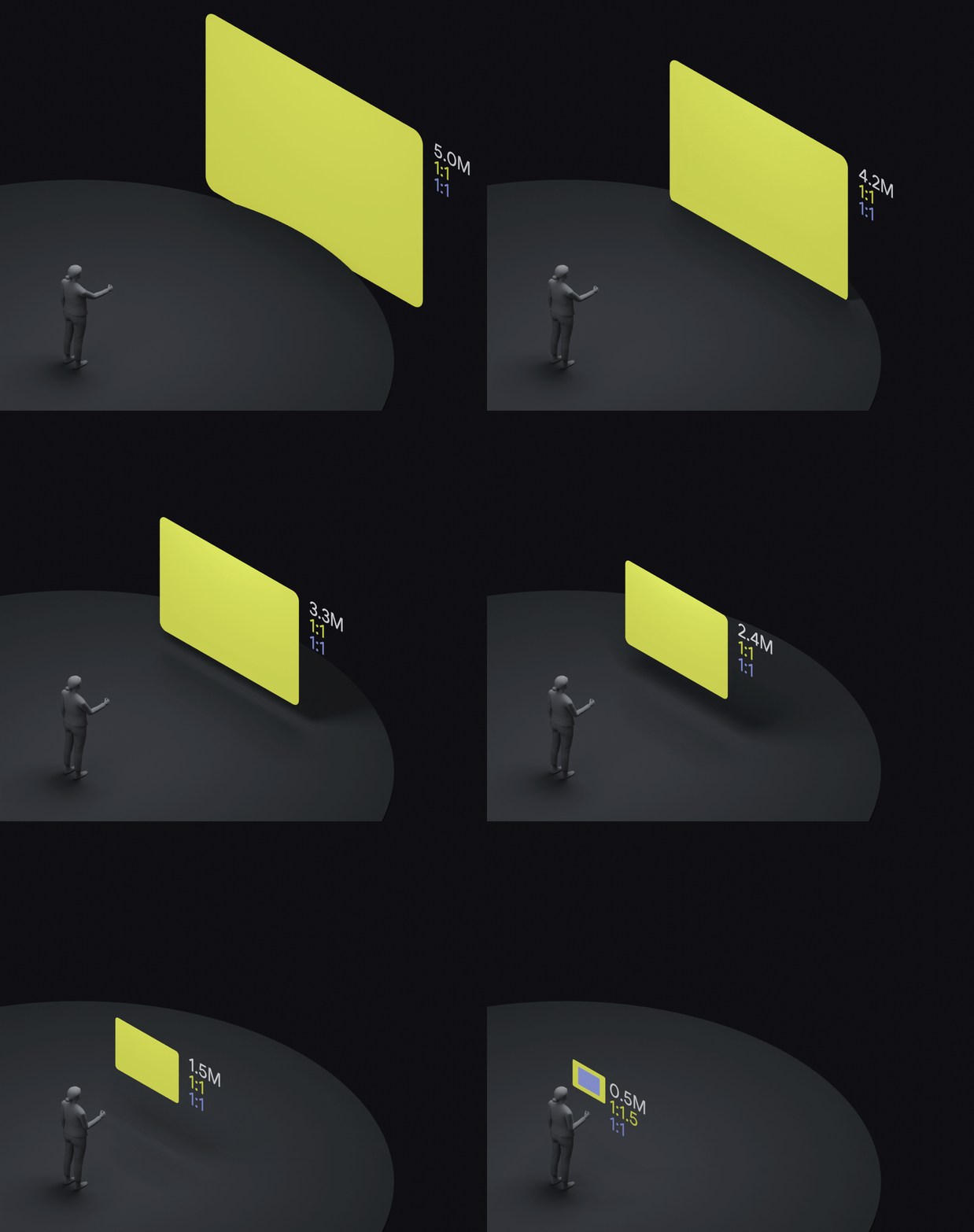
Physical millimeters resolve to distance-scaled dp for consistent physical ergonomics, i.e., 1 dmm = 0.9 dp
No protrusions upon scaling
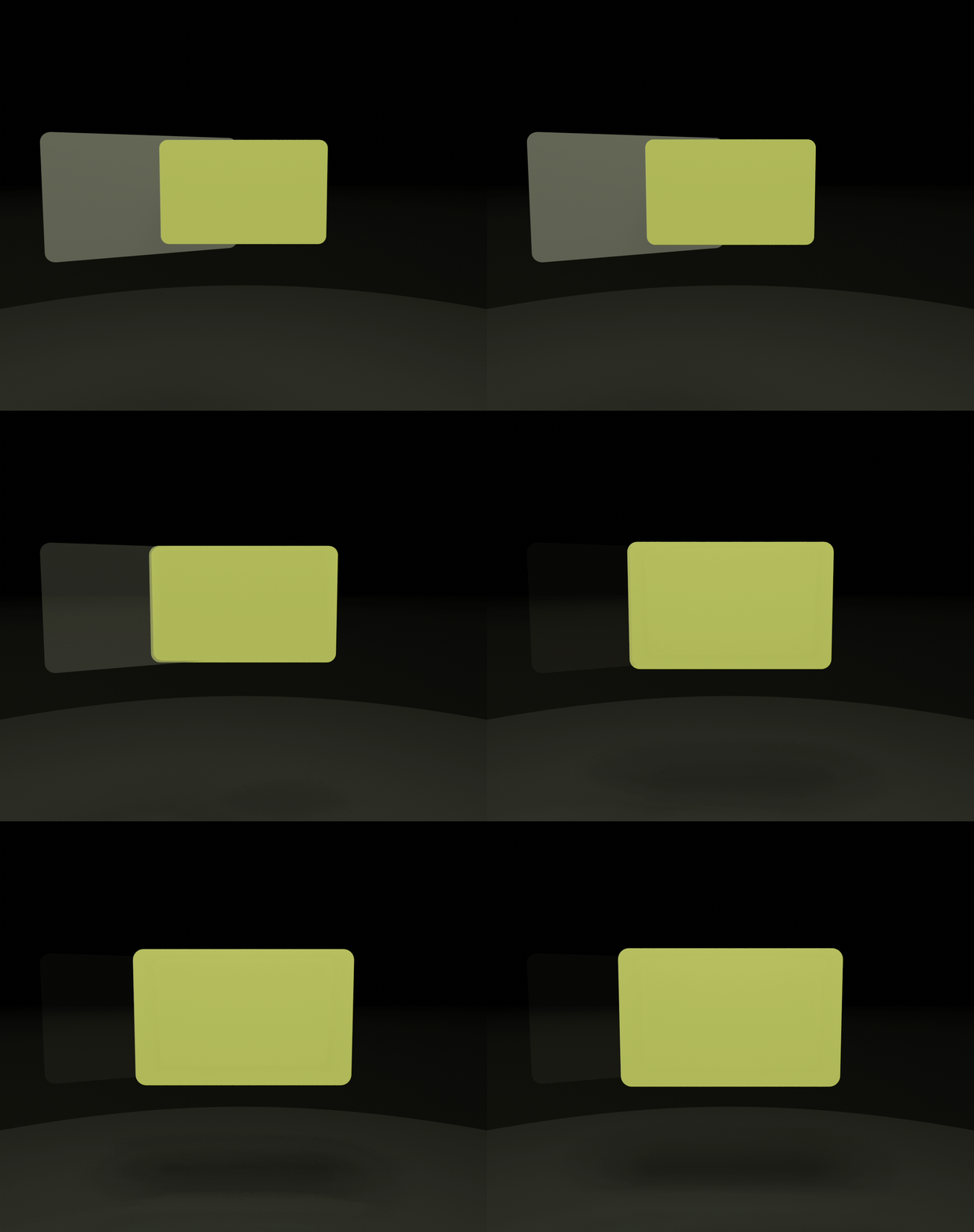
Upon scaling, the system automatically shifts or scales existing surfaces to avoid overlap and maintain visibility.
The system provides app developers with three resize categories. This lets the OS handle resizing consistently without requiring every app to invent its own interaction model.
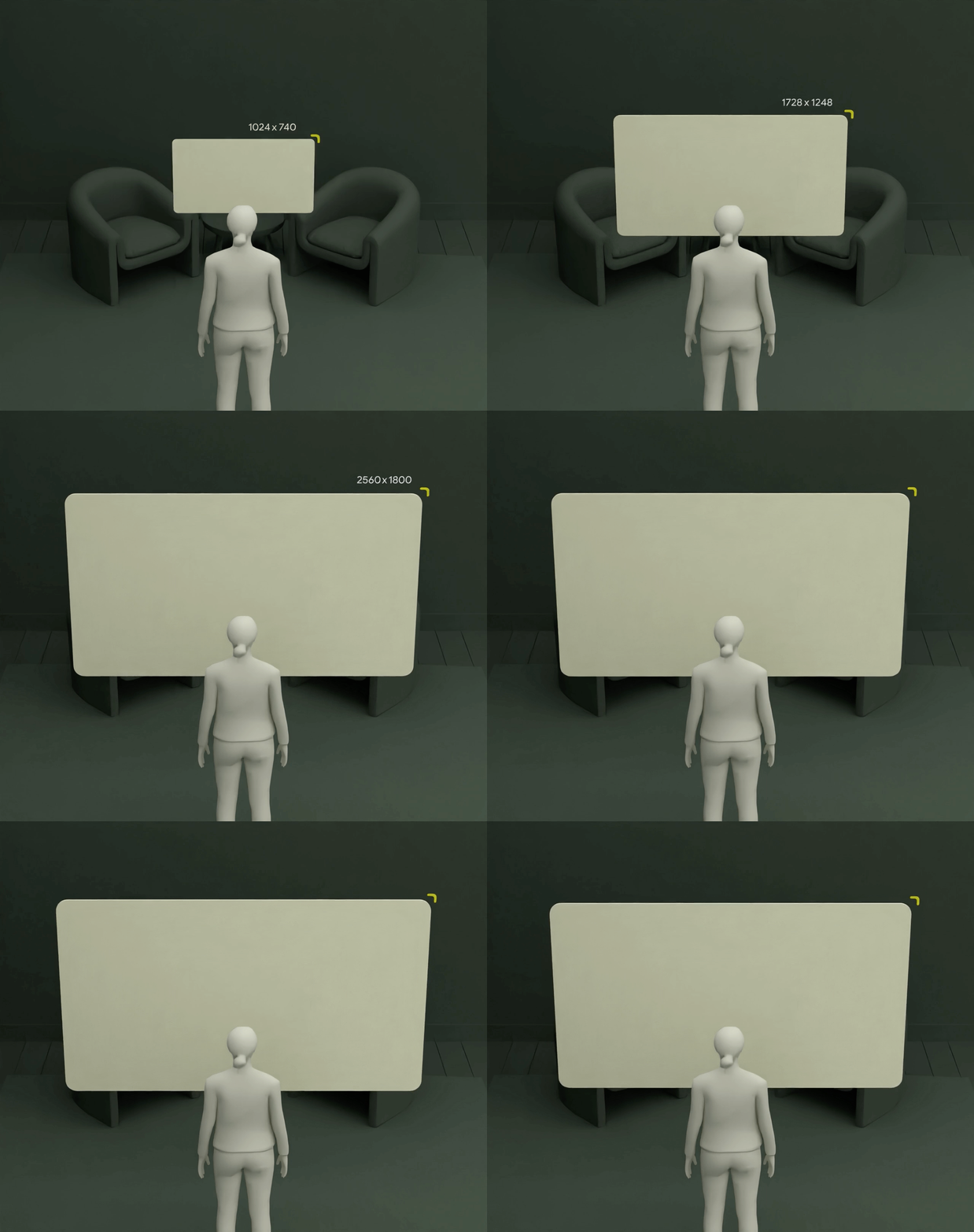
Resizable
Dynamic layout
Window bounds resize freely while content reflows responsively.
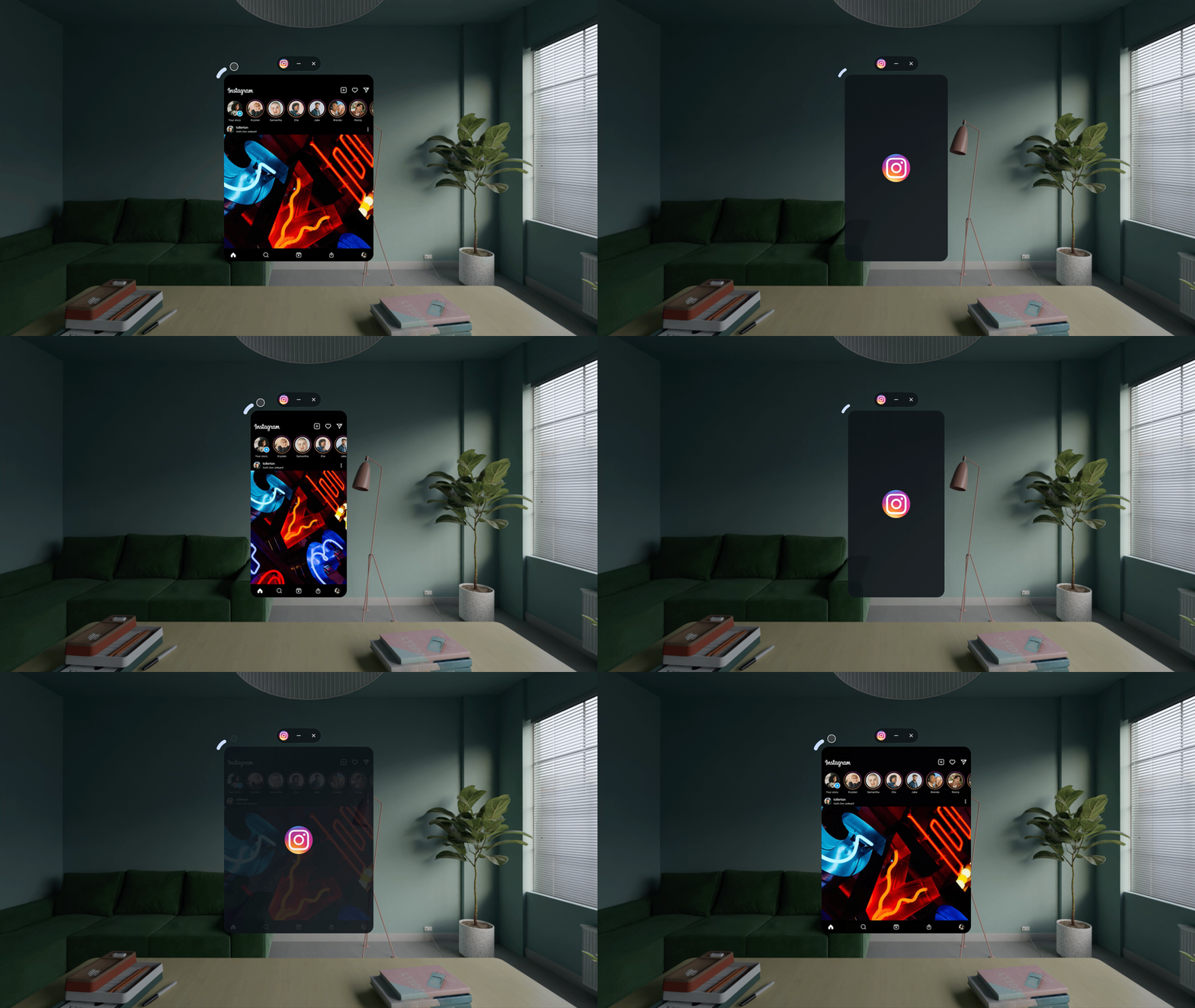
Constrained
Fixed aspect constraints
The system snaps resizing to valid aspect ratios or orientations.
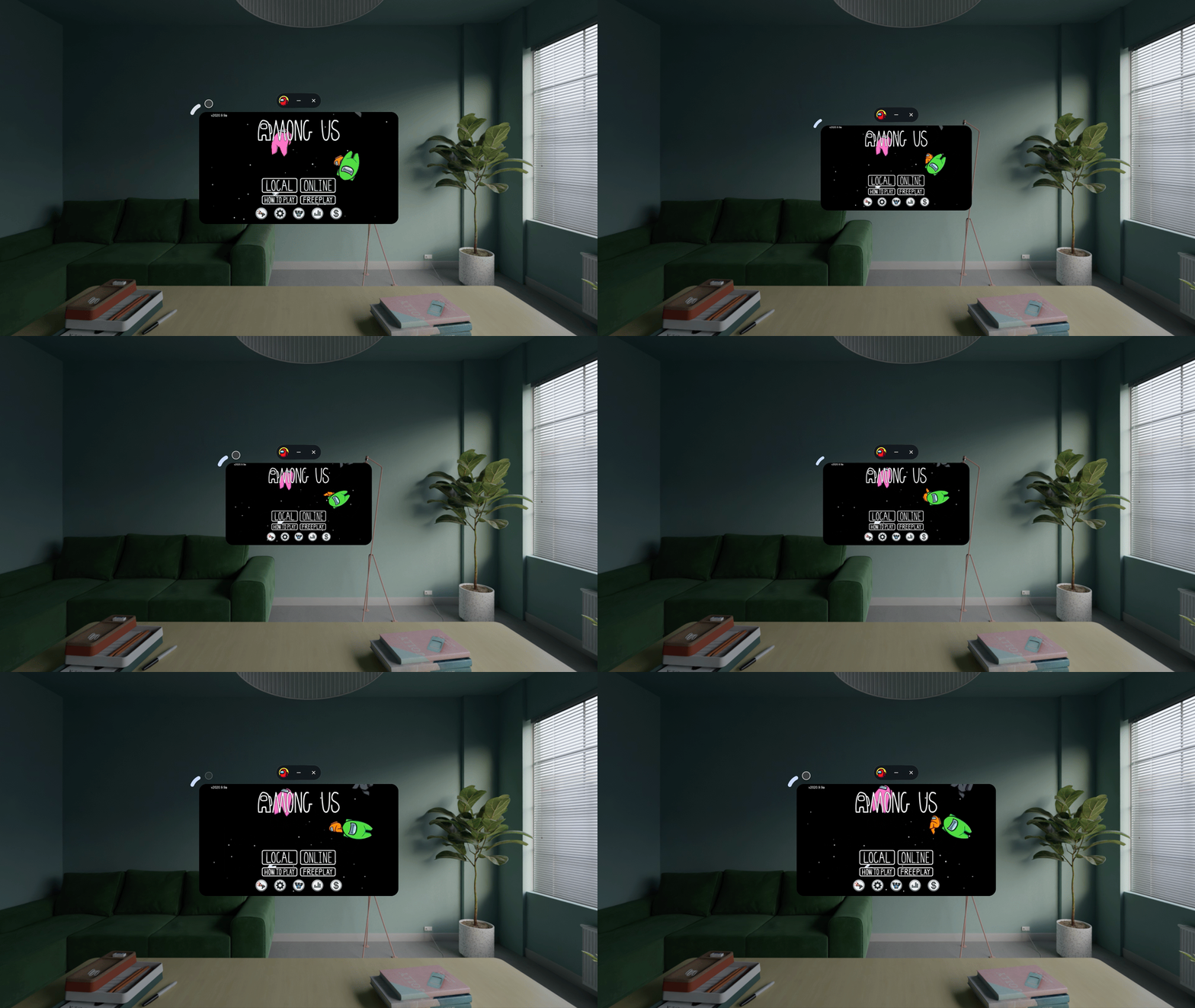
Non-Resizable
Uniform scaling
The entire window scales proportionally without content reflow.
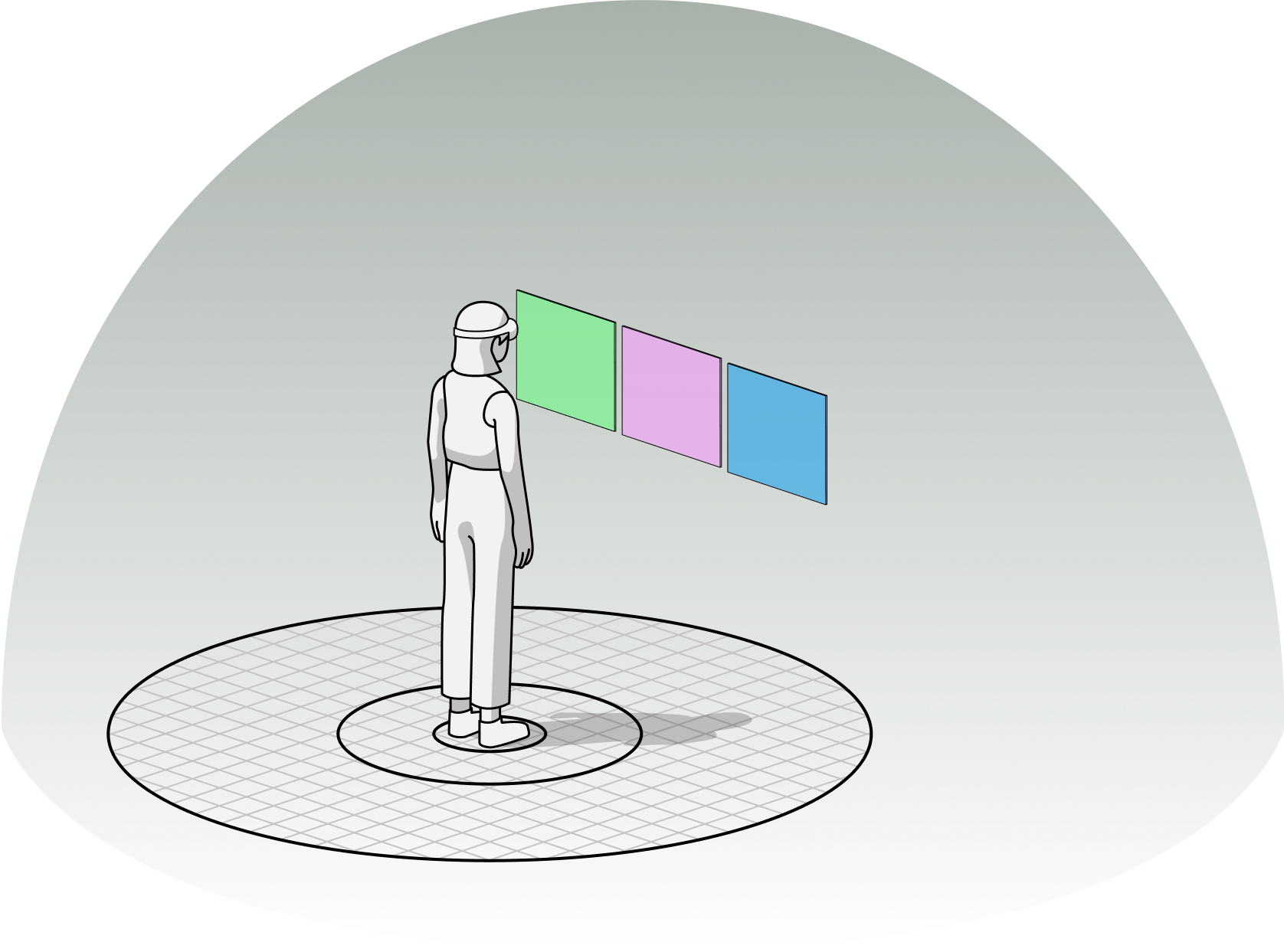
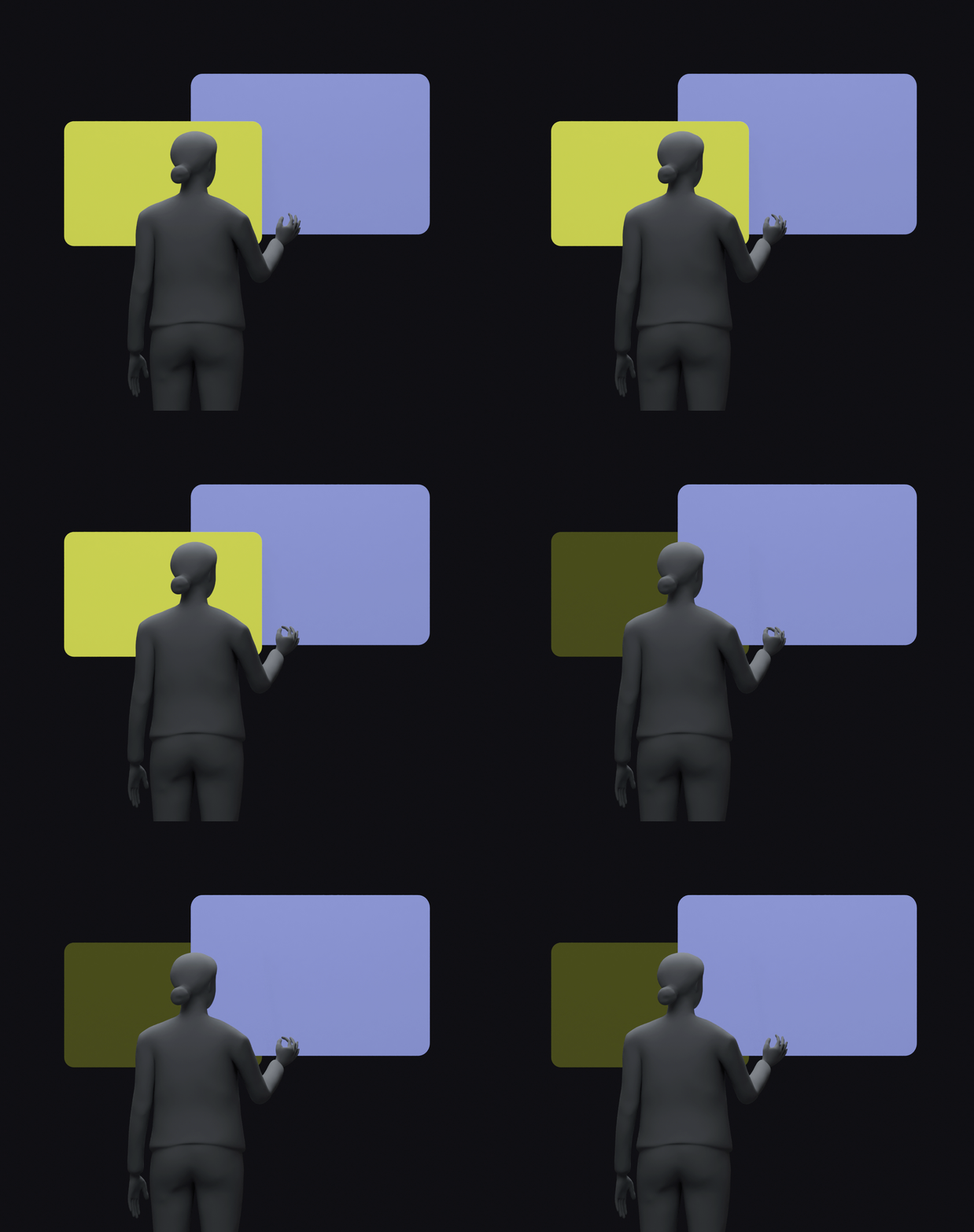
In a spatial OS, position is part of the interface model. Windows do not just open; they open relative to the user’s body, field of view, and surrounding surfaces. The system manages placement so apps stay readable, comfortably reachable, and naturally aligned in the room.
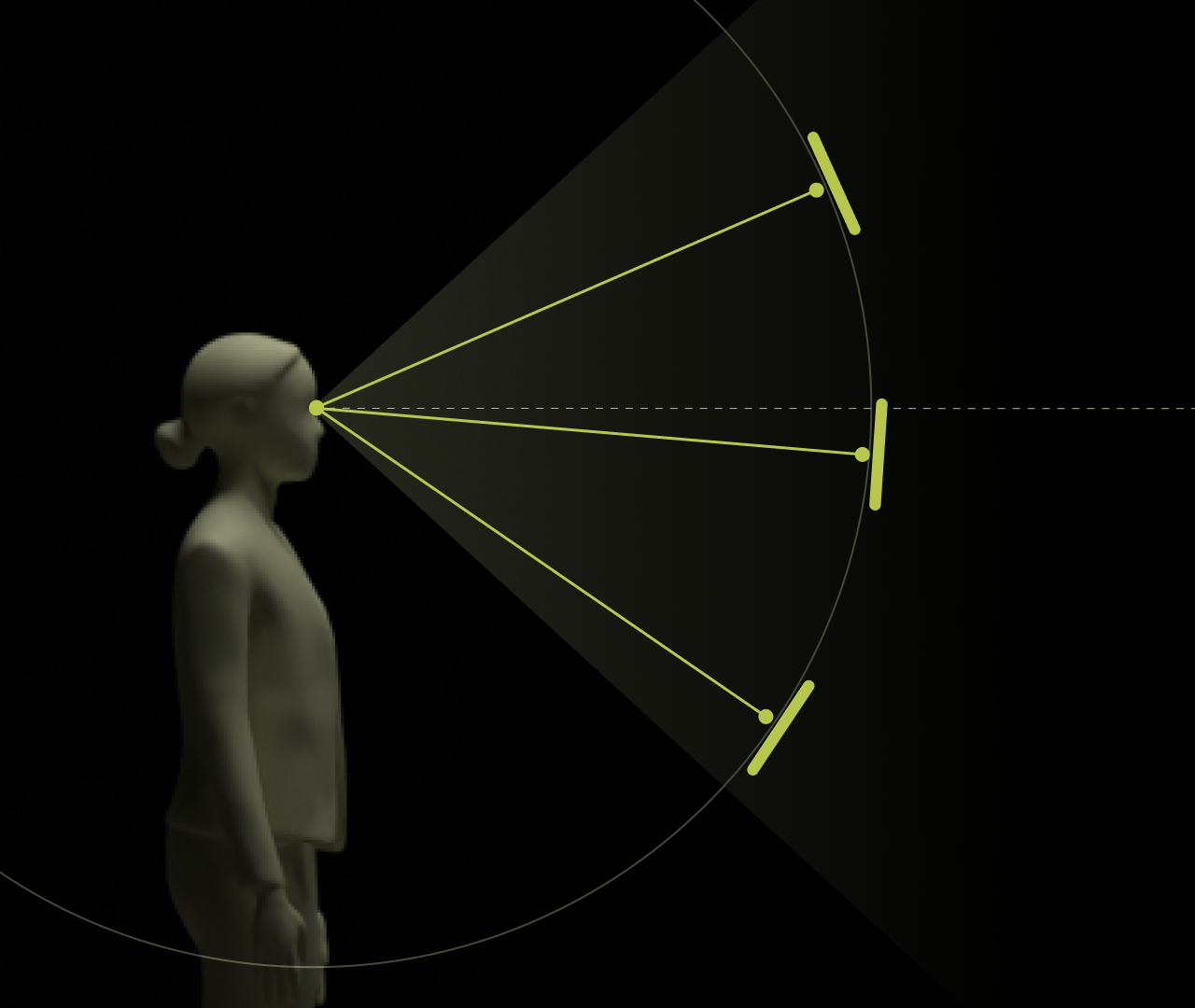
01
Windows open inside the ergonomic zone
Default placement keeps panels within the user’s primary field of view, reducing head-turning and keeping interaction comfortably centered.

02
Surfaces face the user by default
Orientation is system-managed so windows present a readable front plane rather than forcing developers to manage angle, rotation, or posture cases per app.
03
Layouts preserve coexistence
Multiple windows can share the space without flattening into a single row; depth and lateral placement work together to preserve clarity and visual hierarchy.
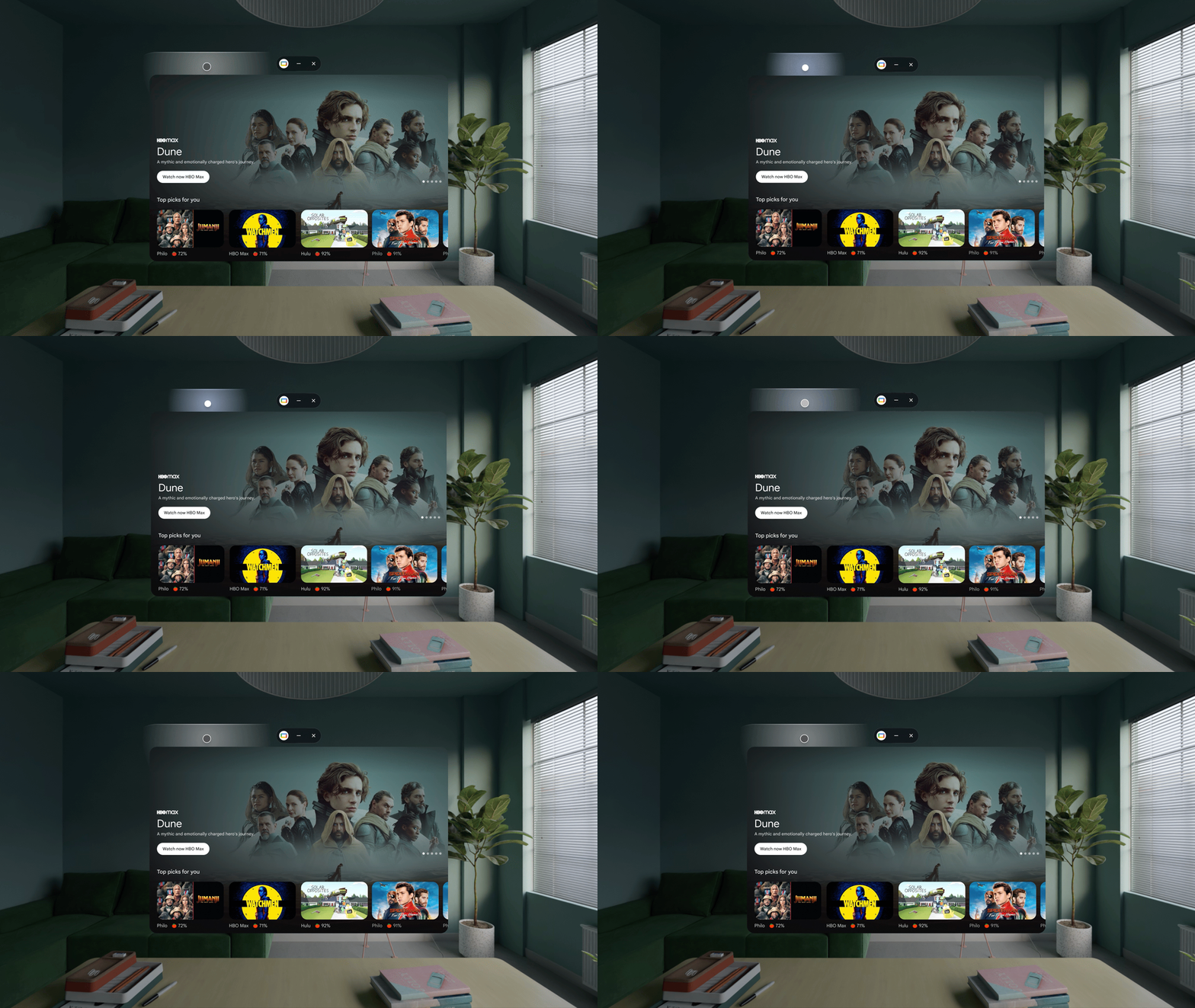
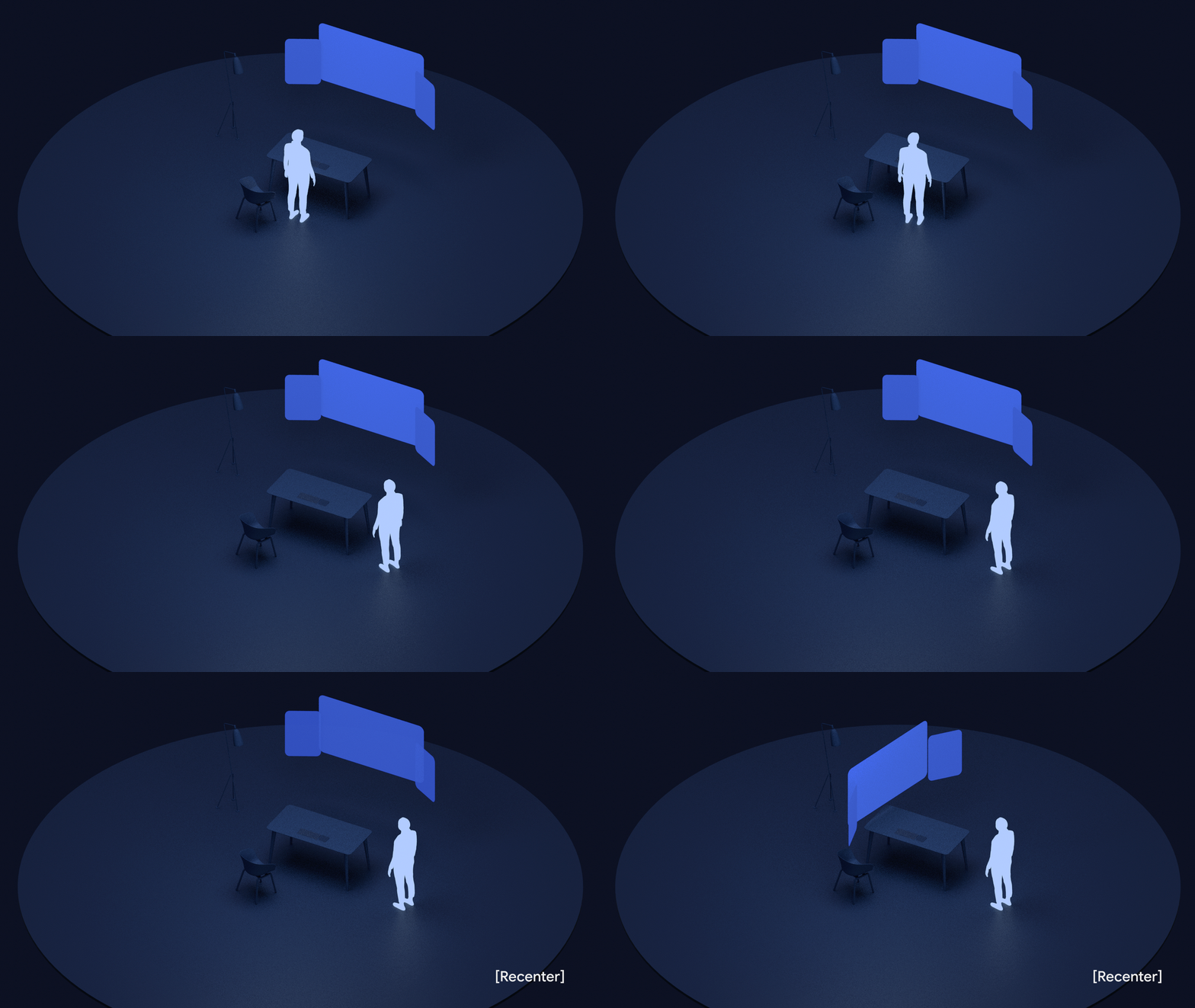
Windows can be repositioned, grouped, and transferred across apps while preserving ergonomic reach, orientation, and spatial memory.

01
Approachable movement
Moving windows inherit ergonomic scaling and orient toward the user as they are moved.
02
Predictable transfer behavior
Clear visual feedback is provided during drag-and-drop operations, ensuring users understand the outcome of their actions.

03
One-Click Tidy Up
The system restores spatial organization upon user request, while preserving active app context and hierarchy.
04
Ergonomic recentering
Windows realign to the user’s new orientation while preserving relative spatial layout and continuity.
App Ecosystem Validation
The system was validated across media, communication, productivity, and utility applications. Each app inherits the same spatial rules, toolbar model, and layer behavior while adapting to different interaction contexts. The same operating model scales across fundamentally different interaction patterns.
Samsung Notes
HSM + FSMNotes transitions between HSM and FSM while preserving continuity between lightweight interaction and immersive creation.
My Files
HSMMy Files remains fully within HSM, validating persistent coexistence and constrained freeform interaction.
Phone
Heads-up notificationIncoming calls surface as Layer 2 system UI without interrupting the active spatial context.
Messages
Heads-up notification + KeyboardMessaging combines persistent HSM coexistence, Layer 2 notifications, and contextual keyboard invocation within a shared spatial workflow.
Input Modalities
Apps in Galaxy XR respond to three input modalities — voice commands, spatial gestures, and direct UI interaction. Each is routed to the correct system surface without requiring the user to switch modes or shift attention.
01
AI Layer Voice Control
AI layer runs on system level. It activates on explicit invocation or automatically upon reactive app activities.
02
Gesture Control
Three gesture modes address near and far interaction: Gaze + Pinch for far-field selection, Raycast for controller-based pointing, and Direct Touch for near-field physical interaction at sub-0.5 M range.
03
UI Interaction
The spatial virtual keyboard and on-screen controls provide structured, explicit input. The keyboard spawns contextually at a fixed ergonomic position — no navigation required, and it follows user repositioning via the handle.
Impact and Outcomes
The system established a scalable operating foundation for Galaxy XR — enabling consistent behavior across apps, persistent spatial interaction, and system-managed transitions without per-app negotiation.
01
Unified spatial operating model
HSM/FSM, the spatial layer stack, and shared chrome established a consistent interaction model across all apps.
02
System-managed continuity
Transitions, persistence, and spatial memory became OS-level behaviors instead of app-specific logic.
03
Scalable ecosystem foundation
The same operating rules scaled across media, communication, productivity, and utility applications.
04
Ergonomic spatial interaction
Window placement, resizing, and recentering preserved readable, reachable, and spatially stable interaction.
05
Shared system behaviors
Notifications, voice interaction, keyboard invocation, and system surfaces behaved consistently across contexts.
Next Project